WhatsApp Broadcast and Bulk Messaging on the Official API
Launch high-performing messaging campaigns tailored to your strategy — from Simple, CSV, and Google Sheet mass broadcasts to Drip, Recurring, MM Lite, and API-powered automated campaigns on WhatsApp & RCS.
WhatsApp Broadcast Features for Scalable Engagement
Smart Personalization
Every WhatsApp Message Feels Personal.
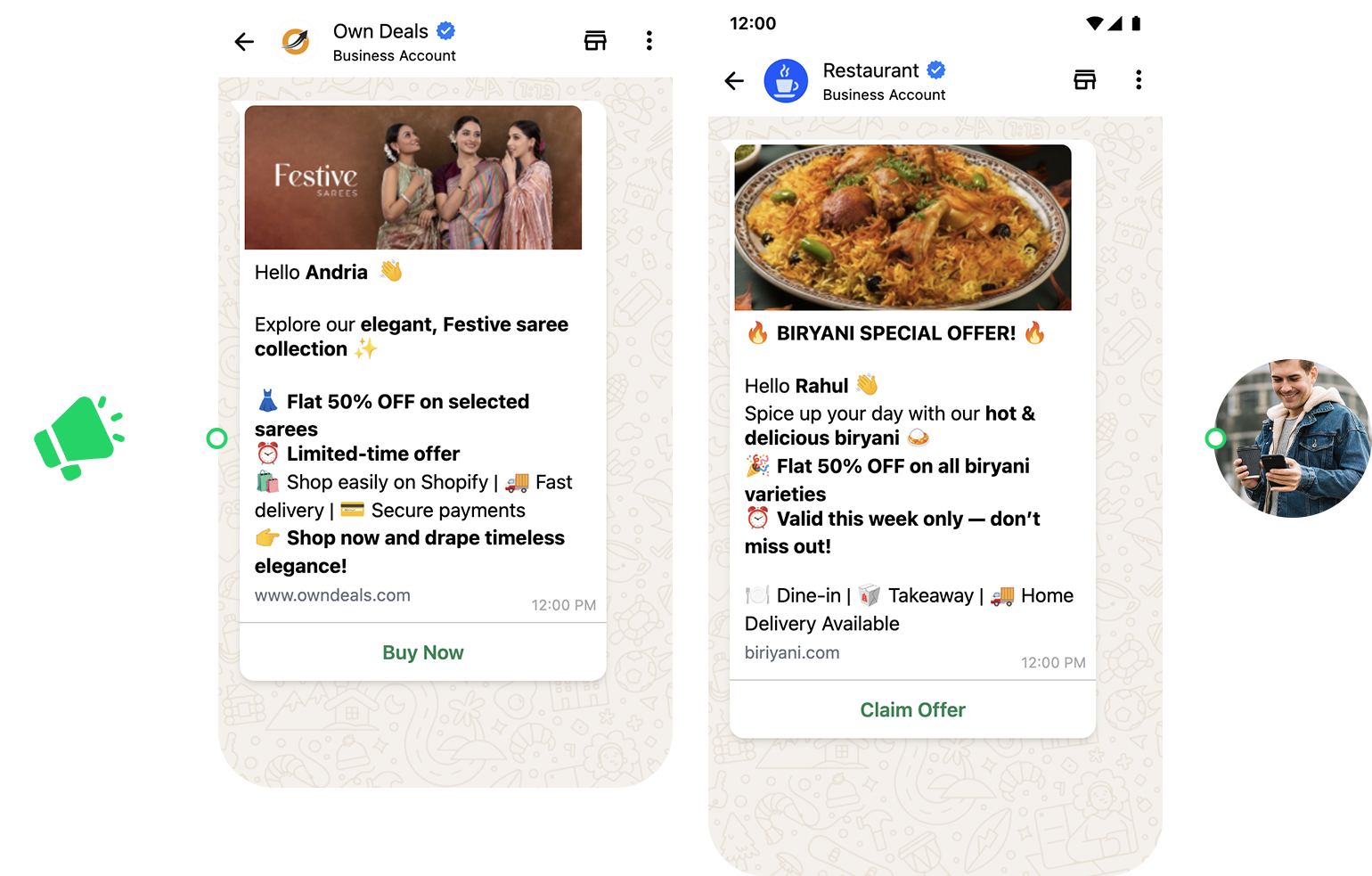
Use dynamic personalization variables to tailor each message. Address customers by name, recommend relevant products, and customize content based on user behavior and preferences.
Smart Scheduling
Send WhatsApp Messages at the Perfect Time
Schedule WhatsApp campaigns for optimal delivery times to maximize engagement. Automatic timezone detection ensures messages reach customers when they’re most likely to open and respond.
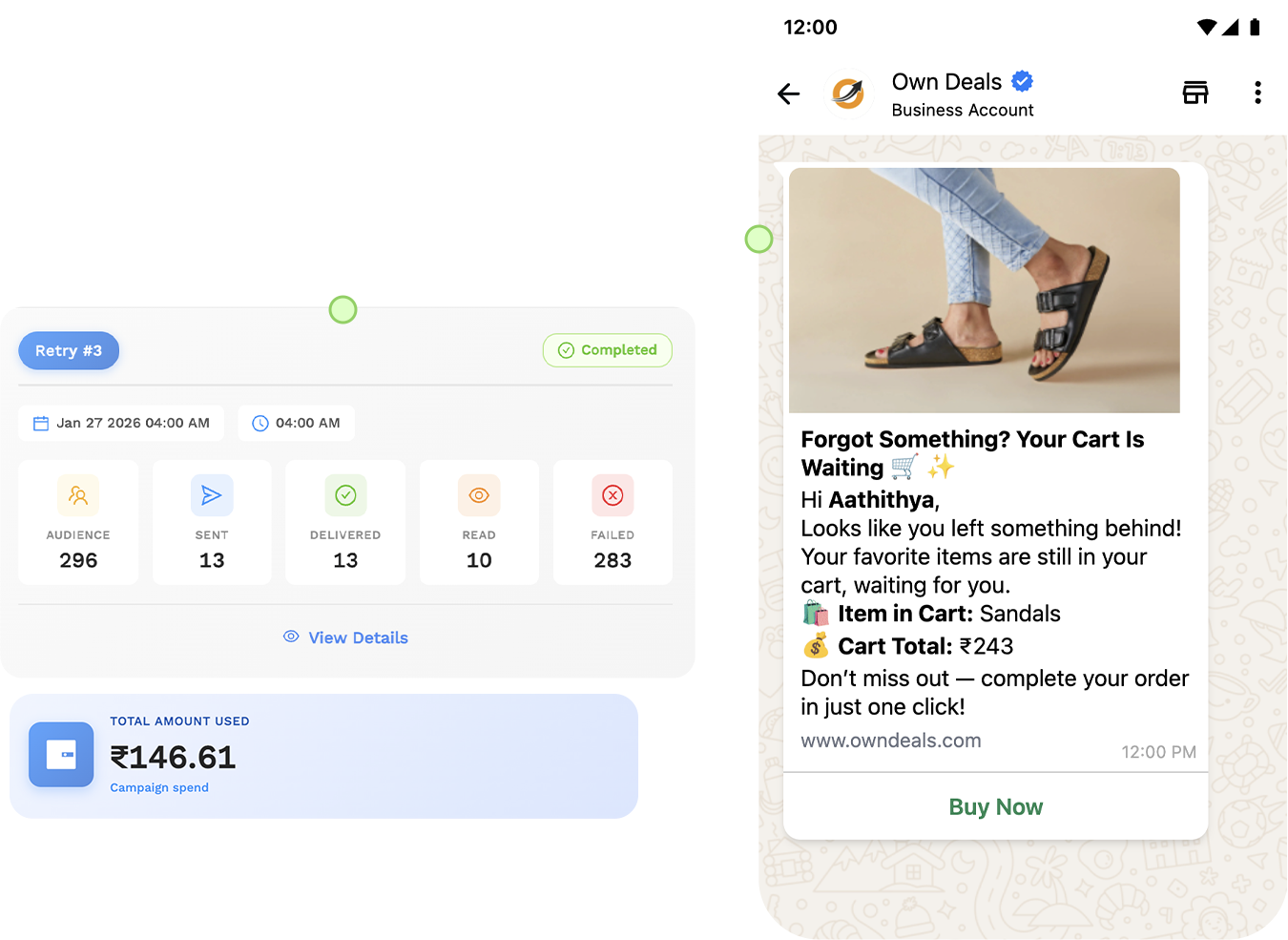
Campaign Analytics
Track Performance. Optimize Every Campaign.
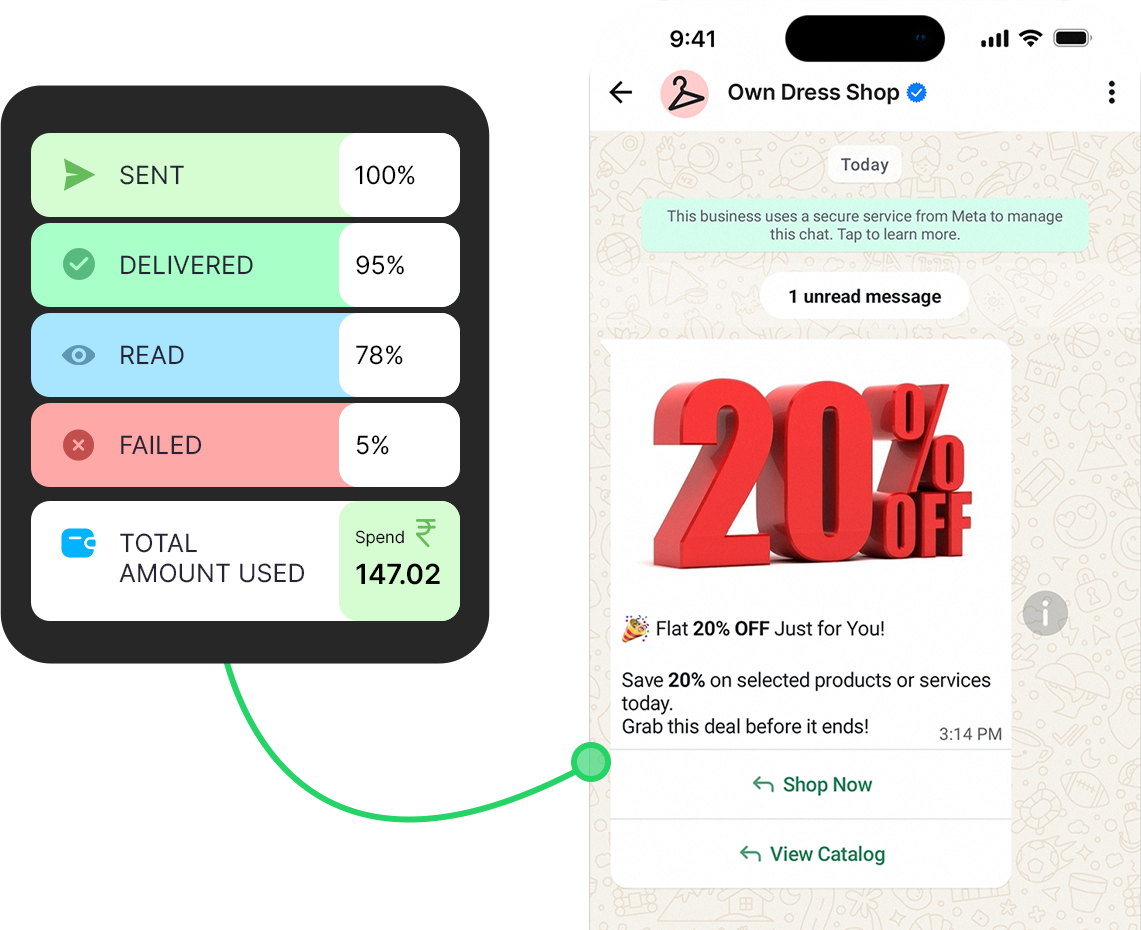
Monitor delivery rates, open rates, click-through rates, and conversions in real time. Gain actionable insights to refine messaging and improve WhatsApp campaign performance over time.
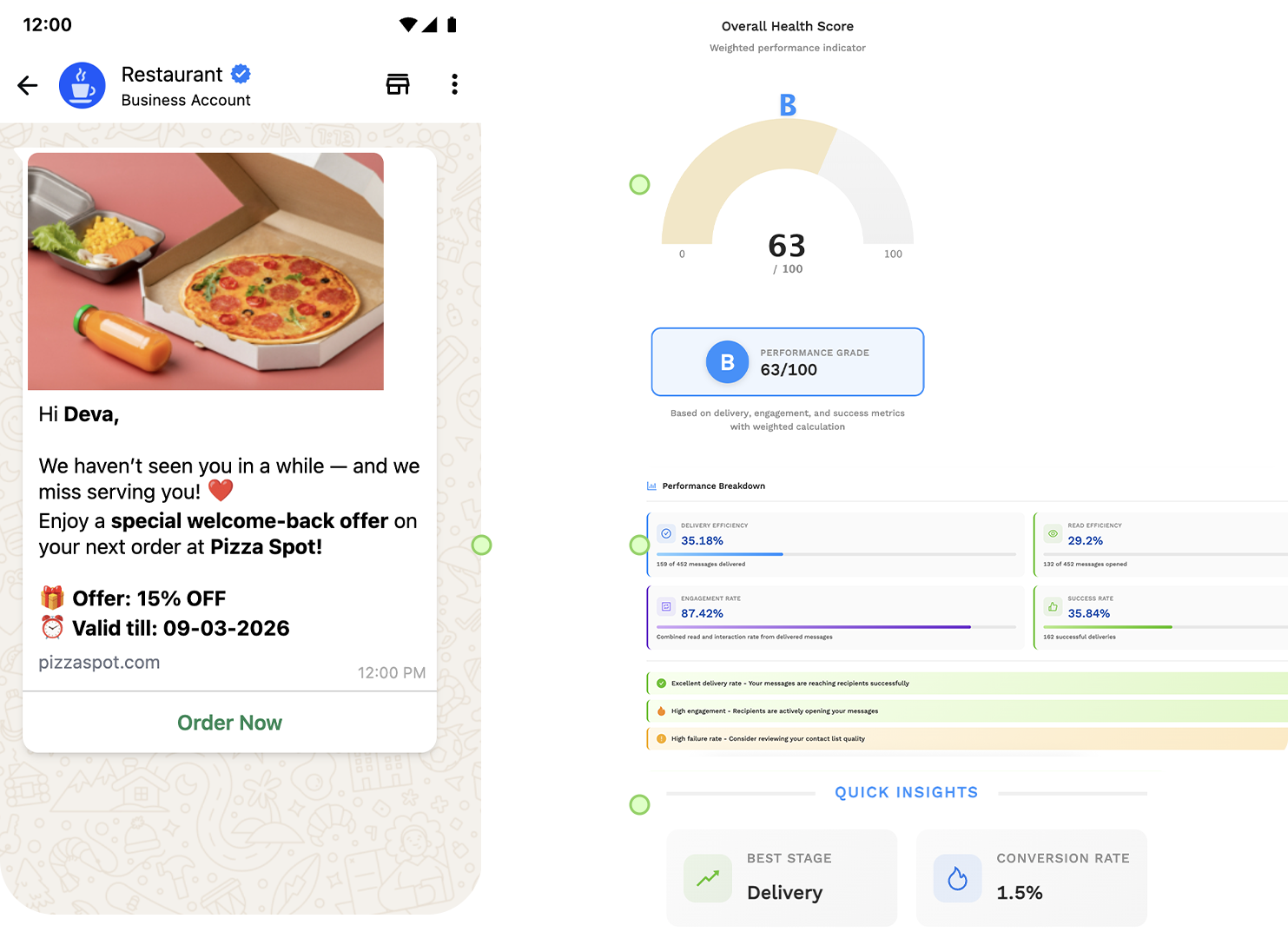
Campaign Formats
Explore powerful campaign options designed for every communication workflow and audience scale.
Simple Broadcast
Send customized messages to multiple recipients at once directly from your Contact List.
MM Lite Broadcast
Deliver targeted messages to engaged WhatsApp users with Meta's MM Lite feature.
Recurring Campaign
Automate message delivery by scheduling campaigns to repeat daily, weekly, or monthly with ease.
Drip Campaign
Create a sequence of automated messages sent over time based on audience segments and goal conditions.
CSV Broadcast
Upload a CSV contact list with custom variables to broadcast personalized messages at scale.
Google Sheet Broadcast
Run campaigns directly from Google Sheets with real-time contact sync and auto-updates.
API Broadcast
Run broadcasts using the Ownchat Campaign API inside your application seamlessly.
Campaign Features That Scale
Everything you need to create, manage, and optimize high-performing WhatsApp campaigns from one powerful platform.

Bulk WhatsApp Messaging
Send WhatsApp messages in bulk to thousands of contacts instantly with a single click—perfect for promotions, updates, and announcements.
Real Campaigns Real Results
See how businesses use WhatsApp marketing campaigns to boost customer engagement, increase sales, and drive measurable growth.
Product Launch Campaigns
Launch new products with personalized WhatsApp messages sent instantly to your entire customer base.
Promotional WhatsApp Campaigns
Run sales promotions, discounts, and special offers on WhatsApp to drive immediate customer action and conversions.
WhatsApp Newsletter Campaigns
Keep customers engaged with regular WhatsApp newsletters, product updates, and value-driven content.
Ready to Reach Millions on WhatsApp?
Start creating high-impact WhatsApp campaigns today.
Ownchat is WhatsApp broadcast software built on the official WhatsApp Business API by Ieyal Solutions, a Meta Business Partner in Thiruvarur, India. Businesses in Singapore, the UAE and India use it to send approved template campaigns to opted-in contacts. Plans start at $12 per month billed annually, plus Ownchat per-message prices.
Key Specifications
- Meta Business Partner
- Yes
- Plans from
- $12/month, billed annually (USD)
- Free trial
- 14 days, no credit card
- Used by
- 300+ businesses
- Markets served
- India, Singapore, UAE
- Support hours
- Mon–Fri, 9am–6pm IST (11:30am–8:30pm SGT; 7:30am–4:30pm GST)
What is a WhatsApp broadcast message?
A WhatsApp broadcast is one message sent to many contacts at once, where each person receives it as a private chat.
The free WhatsApp Business app has broadcast lists, capped at 256 contacts per list and reaching only people who saved your number. The WhatsApp Business API, which Ownchat runs on, sends Meta-approved templates to any contact who has opted in, within the daily messaging limit Meta sets for your account. Each delivered message is charged by category: marketing, utility, authentication or service.
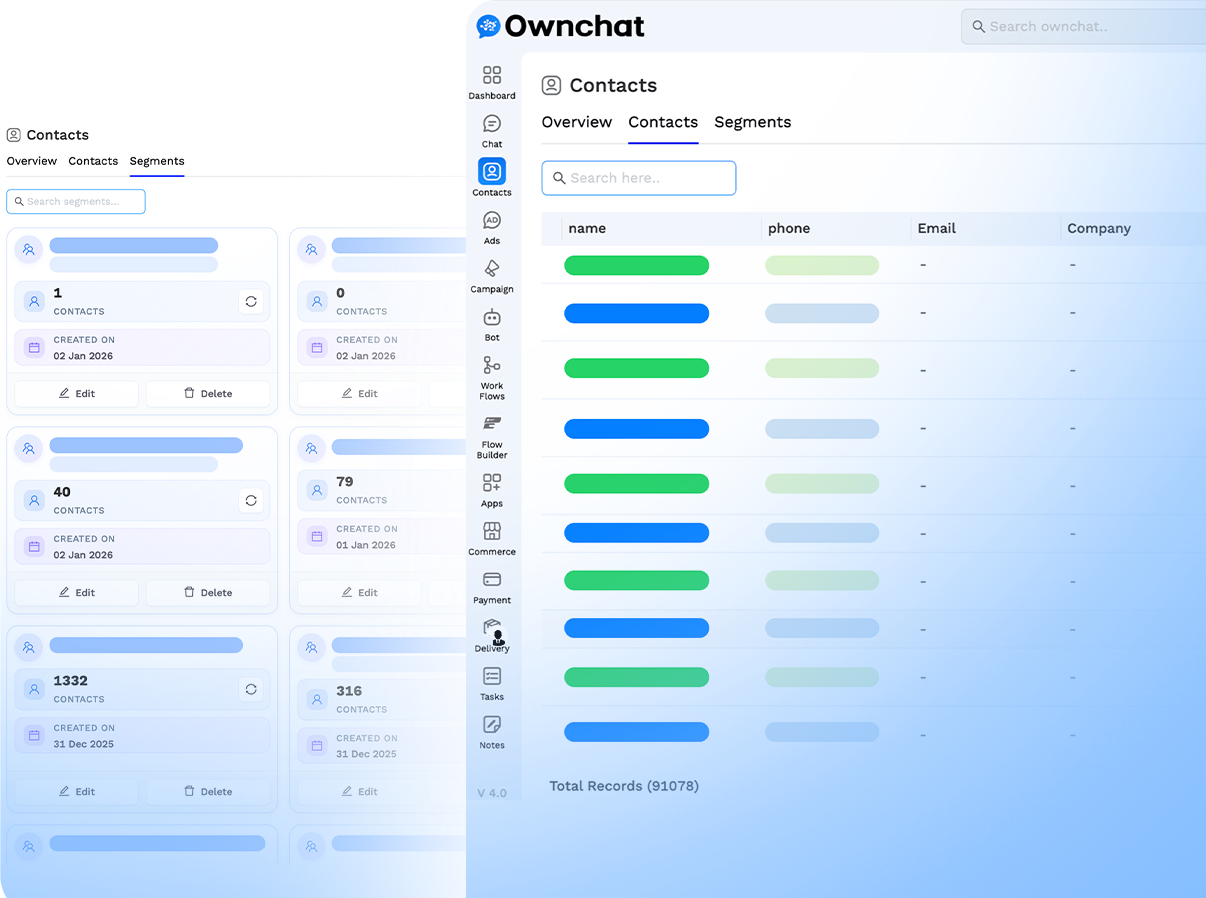
Live Production Interface · Verified Meta Business Partner
Official API broadcast or bulk WhatsApp sender software?
Many 'bulk WhatsApp sender' tools are desktop apps or browser extensions that automate a normal WhatsApp or WhatsApp Web account. They are cheap and quick to start, but WhatsApp's Terms of Service prohibit bulk and automated messaging except through authorised means. The WhatsApp Business Platform (the API) is that authorised route.

Live Production Interface · Verified Meta Business Partner
Official API broadcast (Ownchat) ★ Recommended | Unofficial bulk sender tools | |
|---|---|---|
| Permitted by WhatsApp | Yes, via a Meta Business Partner | No; automating app accounts breaks WhatsApp's terms |
| Risk to your number | Low with opted-in contacts and a good quality rating | High; automated bulk senders can be restricted or banned |
| Message content | Meta-approved templates with buttons, media and variables | Free text, no review |
| Delivery reports | Sent, delivered, read and failed per message | Usually none |
| Opt-out handling | Built in; opted-out contacts are excluded automatically | Manual, if at all |
| Sender identity | Approved display name; can apply for Meta's Official Business Account badge | Personal or app profile only |
| Cost | Plan plus a published per-message price | Licence fee; a banned number is the hidden cost |
How do you send bulk WhatsApp messages with Ownchat?
The steps are the same in Singapore, the UAE and India.
Connect a WhatsApp Business
API number through Meta's embedded signup. You can use a new number or keep your existing WhatsApp Business app number with Coexistence.
Import opted-in contacts from
a CSV file, a live Google Sheet, or your store and CRM integrations, then tag and segment them.
Write a template with
variables such as {{1}} for the customer's name, choose the right Meta category, and submit it for approval from inside Ownchat.
Pick a campaign type,
choose the segment, and send now or schedule by the recipient's time zone.
Track delivery, read and
click data in real time, then follow up with interested customers from the shared team inbox.

Live Production Interface · Verified Meta Business Partner
Which campaign types does Ownchat's WhatsApp marketing software support?
Ownchat offers seven campaign formats. WhatsApp campaigns use Meta-approved templates.
Simple broadcast
send to a segment of your contact list.
MM Lite broadcast
send through Meta's Marketing Messages Lite feature, which targets engaged WhatsApp users.
Recurring campaign
repeat a send daily, weekly or monthly (Growth plan and above).
Drip campaign
a multi-step sequence sent over time, based on segments and goal conditions.
CSV broadcast
upload a list with custom variables for one-off sends.
Google Sheet broadcast
run campaigns from a sheet that stays in sync.
API broadcast
trigger campaigns from your own application with the Ownchat Campaign API.
Ownchat's broadcast tools also
include A/B testing, time-zone scheduling, template management, delivery and read tracking and opt-out management, and campaigns can run on RCS as well as WhatsApp.

Live Production Interface · Verified Meta Business Partner
Examples of WhatsApp broadcast messages, with the right Meta category
Meta reviews every template and assigns a category, which sets the price. Promotions and offers are marketing. Updates about an existing order, booking or payment are utility. One-time passcodes are authentication and are not broadcast.
{{n}} placeholders are filled from each contact's fields. Meta may re-categorise a template on review.
Live Production Interface · Verified Meta Business Partner
Use case | Example template | Meta category |
|---|---|---|
| Singapore restaurant weekend offer | Hi {{1}}, this weekend only: 15% off set lunches at our Tanjong Pagar outlet, Sat–Sun 11am–3pm. Tap Reserve to book a table. Reply STOP to opt out. | Marketing |
| UAE fashion retailer seasonal sale | Hi {{1}}, our Eid collection is now in store and online, with up to 30% off selected styles until {{2}}. Tap Shop now to browse. Reply STOP to opt out. | Marketing |
| Dubai property launch (licensed broker) | Hi {{1}}, new 1- and 2-bedroom units in {{2}} from AED {{3}}. Trakheesi permit {{4}}, BRN {{5}}. Tap View floor plans for details. Reply STOP to opt out. | Marketing |
| Singapore clinic appointment reminder | Hi {{1}}, this is a reminder of your appointment at {{2}} on {{3}} at {{4}}. Tap Confirm or Reschedule. | Utility |
| UAE e-commerce order update | Hi {{1}}, your order {{2}} has been dispatched and should arrive by {{3}}. Track it here: {{4}} | Utility |
| Payment due reminder | Hi {{1}}, invoice {{2}} for {{3}} is due on {{4}}. Tap Pay now to settle it securely. | Utility |
How should you collect opt-in and handle opt-out?
Meta requires opt-in before you message someone on WhatsApp, with clear wording that they agree to receive your messages there. Good sources are a website form checkbox, checkout, a Click-to-WhatsApp ad conversation or a QR code at your counter. Record when and where each contact opted in.
Singapore: the PDPA Do Not Call rules, enforced by the Personal Data Protection Commission (PDPC), cover WhatsApp messages to Singapore numbers. For marketing, check the DNC Registry within 21 days before sending or hold clear and unambiguous consent, and identify the sender in each message.
UAE: the Personal Data Protection Law (Federal Decree-Law 45/2021) requires specific, clear and unambiguous consent and lets people object to direct marketing; DIFC and ADGM have their own regimes. In Dubai, property adverts, including WhatsApp broadcasts, need a Trakheesi permit from the Dubai Land Department. TDRA's 7am–9pm promotional window is written for SMS but is a sensible window for WhatsApp too.
This section is general information, not legal advice. Check your obligations with a qualified adviser.
Add a one-line opt-out
('Reply STOP to opt out') to every marketing template.
Use Ownchat's opt-out management
so anyone who opts out is excluded from future campaigns automatically.
Keep marketing and utility
lists separate; a customer who opts out of promotions may still need order updates.
Watch your template quality
rating. Meta can pause templates that many people block or report.
Live Production Interface · Verified Meta Business Partner
How much does a WhatsApp broadcast cost in Singapore and the UAE?
Two costs apply: your Ownchat plan and a per-message price for each delivered template. Since July 2025, Meta charges per delivered message by category and recipient country. Ownchat publishes its per-message prices openly in USD and updates them when Meta changes its rates.
Worked example: a broadcast of 5,000 marketing messages delivered to Singapore numbers costs 5,000 × $0.0878 = $439.00. The same send to UAE numbers costs 5,000 × $0.0691 = $345.50. Sending 5,000 utility reminders costs $96.00 in Singapore and $94.00 in the UAE.
Under Meta's rules, customer replies are free, the first 1,000 service messages per business number each month are free (since 1 October 2026), and a free entry window of up to 7 days opens when someone messages you from a Click-to-WhatsApp ad and you reply in time.
Plans in USD: Starter $12, Growth $53, Professional $91, Business $180 per month billed annually ($18, $62, $115, $220 billed monthly). Starter includes bulk WhatsApp campaigns and 20,000 contacts; Growth adds recurring campaigns and campaign analytics.
Live Production Interface · Verified Meta Business Partner
Category | Singapore | UAE |
|---|---|---|
| Marketing | $0.0878 | $0.0691 |
| Utility | $0.0192 | $0.0188 |
| Authentication | $0.0192 | $0.0188 |
| Authentication (international) | — | $0.0612 |
| Service (after 1,000 free per number per month) | $0.0192 | $0.0188 |
Why use Ownchat for WhatsApp bulk message campaigns?
Ownchat is an official Meta Business Partner, and every paid plan includes onboarding and help applying for the verified business badge. Broadcasts sit alongside the shared team inbox, no-code chatbot, WhatsApp CRM and Instagram DM automation, so campaign replies reach the right agent.
Ownchat has no office in Singapore or the UAE. The team works from Thiruvarur, India, with support Monday to Friday, 9am–6pm IST (11:30am–8:30pm SGT; 7:30am–4:30pm GST).
Live Production Interface · Verified Meta Business Partner
Frequently Asked Questions
Is it legal to send bulk WhatsApp messages?
Yes, when you use the WhatsApp Business API, message only opted-in contacts, and follow local laws such as Singapore's PDPA Do Not Call rules and the UAE's data protection law. Unofficial tools that automate a normal WhatsApp account break WhatsApp's terms. This is not legal advice.
Will my number get banned for sending WhatsApp broadcasts?
The main ban risk comes from unofficial bulk sender tools and from messaging people who did not opt in. On the API, Meta can limit or pause templates that many recipients block or report, so send relevant messages to opted-in contacts.
What is the difference between a broadcast list and an API broadcast?
A WhatsApp Business app broadcast list holds up to 256 contacts and only reaches people who have saved your number. An API broadcast sends Meta-approved templates to opted-in contacts without the saved-number requirement, within your account's messaging limit, and gives you delivery and read reports.
How many contacts can I send a WhatsApp broadcast to?
Meta sets a daily messaging limit per account, which rises as you send good-quality messages. Ownchat contact storage is 20,000 on Starter, 50,000 on Growth, 100,000 on Professional and unlimited on Business.
Which Meta category will my broadcast template fall into?
Offers, promotions, product launches and re-engagement messages are marketing. Updates about an existing order, booking or payment are utility. Meta reviews each template and confirms the category, which decides the per-message price.
How much does it cost to send one WhatsApp marketing message in Singapore or the UAE?
Ownchat's per-message price for a delivered marketing message is $0.0878 to a Singapore number and $0.0691 to a UAE number, in USD, from 1 October 2026. Utility messages are $0.0192 in Singapore and $0.0188 in the UAE. Your monthly plan is charged separately.
Can I schedule WhatsApp broadcasts by time zone?
Yes. Ownchat can schedule a campaign for a set time or by each recipient's time zone, and recurring campaigns can repeat daily, weekly or monthly on Growth plans and above. This helps when one list covers Singapore, the UAE and India.
Can I send WhatsApp broadcasts from my existing business number?
Yes. With WhatsApp Coexistence you can keep using the WhatsApp Business app on your phone while sending API broadcasts from the same number through Ownchat. Note that WhatsApp Call and Group features in Ownchat are not available while Coexistence is active.
Trusted by Growing Businesses
Helping Businesses Improve Customer Engagement. See how teams use WhatsApp and Instagram automation to improve response times, engagement, and conversions.
















Genuine Reviews from Growing Businesses
See how businesses across India use Ownchat to improve customer engagement and conversions.
We have been working with the Ownchat team for the past two years. Earlier, we received 1500–2000 chats per day and couldn’t handle them manually. After implementing Ownchat, we now use an automated chatbot that instantly responds to customers and handles queries on time. We no longer miss customer messages, and our business continues to grow every day. Their customer success team is always available and provides excellent support whenever we need it.

Vijay
The Ownchat team is approachable, open to suggestions, and genuinely focused on improving the product experience for their users.
Senma S.
Ownchat helps us take orders directly on WhatsApp, eliminate delivery aggregator commissions, and stay connected with our customers for support and feedback — all in one place.

Gayathri
Ownchat lets us use WhatsApp programmatically while providing a very user-friendly chat interface. Having customer information directly inside the chat helps our agents resolve issues faster, even while managing hundreds of customers and thousands of messages daily. The setup process was smooth, and the team was extremely helpful.

Adi S.
We switched from another WhatsApp API to Ownchat, and running campaigns is now much easier. Our WhatsApp operations are organised and clear.
Mano
Very good experience handling bulk data. The team is friendly and provides quick responses whenever we need support.

Kowsalya
Plug AI Into Your Own Data & Integrations
Connect Ownchat workflows with your favorite tools and platforms. From e-commerce to CRM, POS to analytics — automate everything.