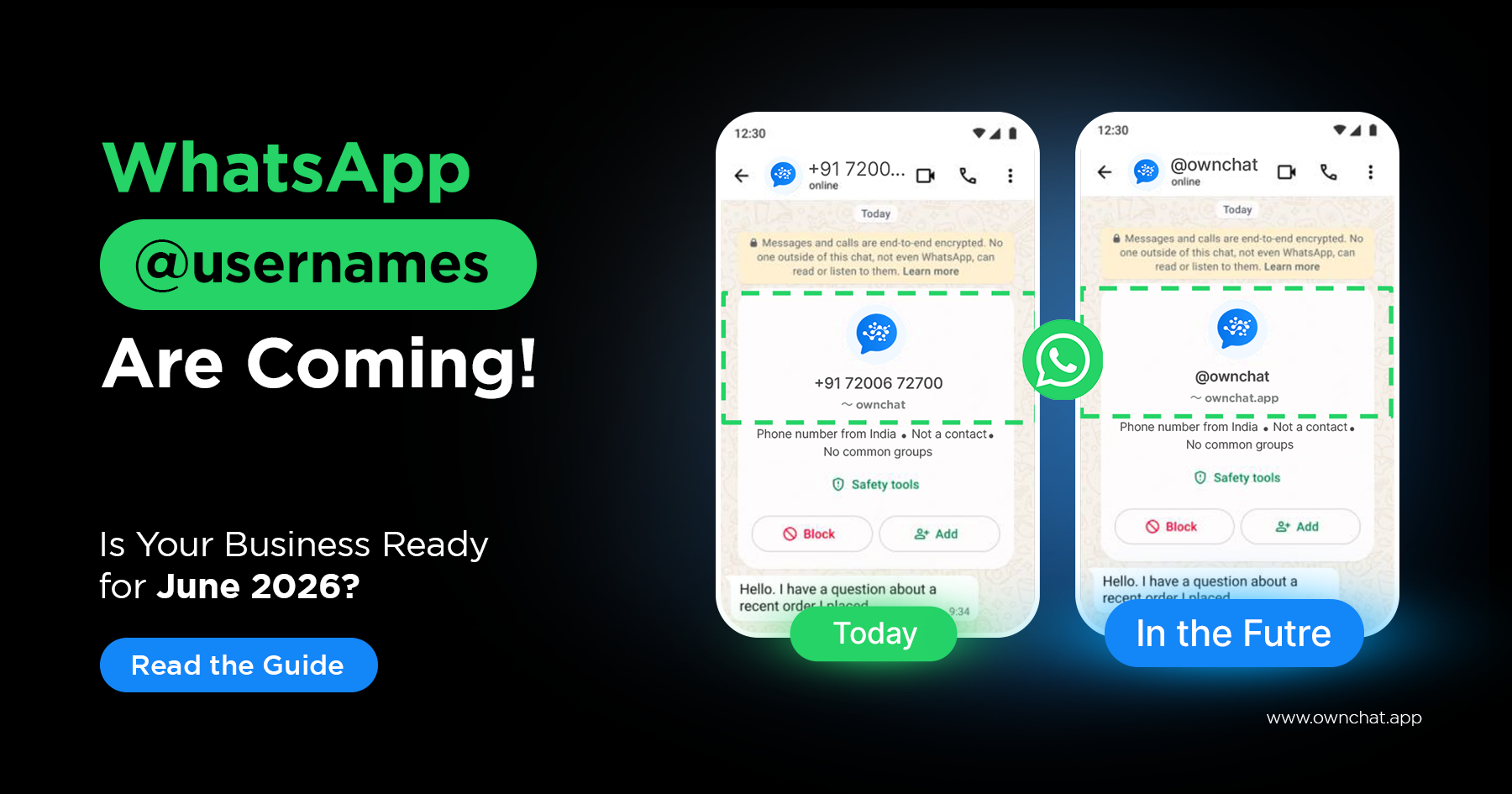
Your restaurant, your boutique, your real estate office — right now, every single customer who wants to WhatsApp you needs your phone number.
That's about to change.
WhatsApp is rolling out usernames — handles like `@yourbrand` that customers can search and use to message you directly, without needing your number. For customers, this is a privacy win. For businesses, it's a new opportunity to be discovered.
But there's a catch most businesses haven't heard about yet.
When customers start using usernames, their phone number will no longer be shared with your business automatically. If your chatbot, CRM, or campaign system relies on phone numbers to identify customers — and it almost certainly does — parts of your WhatsApp setup could break.
The good news: WhatsApp has a solution, and there's still time to prepare. This guide explains everything — in plain language, with a clear action plan.
What Are WhatsApp Usernames?
A WhatsApp username is a unique handle (like @annapoornakitchen or @jyothiboutique) that users and businesses can choose for their WhatsApp account.
Right now, every WhatsApp conversation starts with a phone number — either you save someone's number, or they share a link. Usernames change that. Anyone can find you by searching your username and message you directly, without ever seeing or sharing a phone number.
Here's what Meta's official partner guide says about why they're doing this:
Meta research shows that control over personal information is among people's top concerns when using WhatsApp. Our users have indicated that they would prefer to control whether to share their phone number with people or businesses they message.
In other words — your customers already want this. They feel more comfortable messaging a business when they don't have to hand over their mobile number upfront.
What usernames are — and what they're not
- ✅ A branded, searchable identity for your business (@yourbrand)
- ✅ A way for customers to message you without sharing their phone number
- ✅ Optional — no one has to adopt a username, including your customers
- ✅ Fully end-to-end encrypted — nothing changes about message privacy
- ❌ Not a replacement for phone numbers (WhatsApp still requires one to create an account)
- ❌ Not mandatory for customers to adopt
Username format rules
If you're planning your brand handle, Meta has clear rules:
- Length: 3–35 characters
- Allowed characters: a–z, 0–9, periods (
.), underscores (_) - Must include: At least one letter
- Cannot start with:
www - Cannot end with:
.com,.net,.orgor any domain extension - Cannot be: Purely numeric or symbolic
So @annapoorna_kitchen works.
@annapoorna.com does not.
The Bigger Change Behind the Scenes — The One That Actually Affects Your Business
Here's where most business articles stop. But this is the part you actually need to understand.
When a customer who has adopted a username sends you a WhatsApp message, their phone number will no longer be automatically shared with your business. Instead, WhatsApp will give your business a new way to identify that customer — called a Business-Scoped User ID, or BSUID.
What is a BSUID?
A BSUID is a unique code that WhatsApp assigns to each customer, specifically for your business. Think of it like a customer ID — except WhatsApp generates it automatically.
It looks something like this: DDC91135R
Key things to know about BSUIDs:
- Unique: No two customers get the same BSUID with your business
- Private: The same customer gets a completely different BSUID with a different business — so it can't be used to track people across businesses
- In your webhooks now: As of March 2026, the BSUID has started appearing in all WhatsApp message webhooks — alongside the phone number where it's available
- Scoped to your business portfolio: It's tied to your Business Manager (Meta Business Portfolio) level, not just your phone number
The diagram below (from Meta's official Partner Guide) shows how this works:
Today: Any customer → identified by phone number only
After usernames launch:
- Customer without a username → identified by phone number + BSUID
- Customer with a username → identified by BSUID only (phone number hidden)
This is why businesses that don't update their systems will run into problems.
Why does this matter for your restaurant / shop / business?
Imagine a new customer finds your WhatsApp via your username @annapoorna_kitchen and messages you to book a table. They've adopted a username, so WhatsApp doesn't share their phone number with you.
If your Ownchat chatbot is set up to save the customer's number automatically from the webhook — it won't find one. If your CRM creates a profile based on phone number — there's no number to create it with. If your automated follow-up campaign needs a phone number to send — it has nothing to send to.
This is what Meta means when they say businesses that don't adopt BSUID risk breakage in their workflows.
What Exactly Breaks If You Don't Update?
According to Meta's official partner guide, if your business does not support BSUID, these two things will stop working for customers who adopt usernames:
1. Messages from Click-to-WhatsApp (CTWA) ads — if a username adopter clicks your Facebook or Instagram ad that links to WhatsApp, you may not receive their message
2. Service messages — incoming messages from username adopters may not be processed correctly
What continues to work even without BSUID:
✅ Sending messages to customers whose phone numbers you already have
✅ All interactions with customers who did NOT adopt a username
✅ Authentication messages (OTPs) — these are always sent to phone numbers, not BSUIDs
✅ Business-initiated messages to phone numbers you know
✅ Marketing, utility, and authentication template messages to known numbers
So your existing customer base, the ones who've already messaged you, are largely protected. The risk is with new customers who find you via username and don't share their phone number.
Will My Existing Customers Be Affected?
This is the question every business owner wants answered. And Meta's answer is reassuring — with an important nuance.
The Contact Book (Launched April 2026)
WhatsApp launched a new Contact Book feature in April 2026. Here's what it does: it automatically stores the phone number and BSUID of every customer who messages your business.
How the Contact Book protects you:
If a customer messaged your business before they adopted a username, their phone number is saved in your Contact Book. Even if they later switch to a username, WhatsApp will still share their phone number with you in the webhook — because you already had a prior relationship.
Think of it like this: existing customers are protected. New customers who find you via username, without any prior interaction, are the ones who will show up as BSUID-only.
| Customer type | What you receive |
| Customer without a username | Phone number + BSUID (no change) |
| Existing customer who adopts a username (prior interaction in Contact Book) | Phone number + BSUID (you still get the number) |
| Brand new customer who uses a username to message you for the first time | BSUID only — no phone number |
How Do I Still Get a Customer's Phone Number If They Don't Share It?
WhatsApp has thought about this. For businesses that still need customers' phone numbers (for OTP, for CRM, for delivery coordination), Meta is introducing a native phone number sharing flow within WhatsApp.
When your chatbot or agent needs the customer's number, they can trigger this native flow — a clean, WhatsApp-built prompt that asks the customer to share their number with minimal friction and no risk of typos.
What this means for your Ownchat chatbot: You can update your chatbot flows to ask for a phone number early in the conversation for customers who haven't shared one. Ownchat's Flow Builder makes this straightforward — if the webhook returns no phone number, trigger a collection step.
The Part About the Username "Key" — Mostly Not Your Problem
You may have read about a username key — an optional 4-digit code that users can set to control who messages them.
Here's what Meta's official guide says, and it's actually good news for API businesses:
>*"Businesses that use the WhatsApp Business Platform will NOT need to provide a key to message a user, even if the user set a key — having the BSUID or phone number will demonstrate an existing connection and bypass the key."*
So if someone has messaged your business before (and their details are in your contact book), you can message them back even if they've set a key. The key requirement only applies to individual users and WhatsApp Business app (non-API) users reaching out to someone for the first time.
If you're on Ownchat — which uses the official WhatsApp Business Platform API — you don't need to worry about the key for your outbound messaging.
The Official Timeline — Where We Are Right Now
Here is the complete, Meta-confirmed rollout schedule from the Official Partner Guide:
| Date | Milestone | What It Means for You |
| Oct 2025 | Business notification | Partners informed about new identifiers (you're reading about it now) |
| Feb 2026 | BSUID testing begins | Webhooks start carrying BSUID — first with dummy data, then live |
| Mar 2026 | BSUID goes live | All message webhooks now carry the BSUID field |
| Apr 2026 | Contact Book launches | WhatsApp starts storing customer contact info automatically |
| May 2026 | Business username testing | Businesses can start claiming their own usernames |
| Jun 2026 | Country testing begins | Customers in test countries can start adopting usernames |
| Rest of 2026 | Global rollout | WhatsApp usernames available globally |
Where are we today (April 2026)?
- BSUID is already live in webhooks ✅
- Contact Book is already running ✅
- Business username claiming opens in May — coming very soon
- Customer username adoption begins in June
You have weeks, not months, to prepare.
What Does This Mean for Indian Businesses Specifically?
India is one of WhatsApp's largest markets — and one of the test countries most likely to be included in the June rollout.
For Indian SMBs, this update lands at a pivotal moment. Indian customers are increasingly privacy-conscious, and the ability to message a restaurant, salon, or retailer without sharing a phone number will appeal especially to younger, urban users.
The businesses that move fast will get three advantages:
1. Username brand equity. Popular names like `@annapoornakitchen` or `@jyothiboutique` will be claimed early. API businesses get first access to reserve usernames matching their WhatsApp Display Name, Meta Verified Name, or Facebook/Instagram Business handle — starting May 2026. If you wait, you may lose your preferred handle.
2. More inbound conversations. Discovery via username lowers the barrier to first contact. Customers who were hesitant to share their number will now be willing to message. For restaurants, salons, jewellers, and retailers — this means more enquiries, bookings, and sales opportunities.
3. No workflow breakage. Businesses that update their systems before June will handle the new identifier seamlessly. Those that don't will miss conversations from username-adopting customers and see gaps in their CRM data.
Your Action Checklist — What to Do Before June
For Ownchat Customers
Good news first: Ownchat is an official WhatsApp Business Solution Provider and is already updating the platform for full BSUID compatibility ahead of the June rollout. The webhook update, CRM field addition, and BSUID handling are being managed at the platform level. You don't need to do the technical work yourself.
Here's what you should do on your end:
✅ Step 1 — Plan your brand username
Decide on your preferred @username now. Keep it short, memorable, and consistent with your business name. Have 2–3 alternatives ready in case your first choice is taken. You'll be able to claim it from May 2026 via WhatsApp Manager.
✅ Step 2 — Review your chatbot flows for phone number collection
If your current chatbot flow relies on picking up the customer's phone number automatically from the webhook — update it to ask the customer directly, early in the conversation. Ownchat's Flow Builder lets you add a phone number collection step that triggers only when no number is received.
✅ Step 3 — Check your broadcast and campaign flows
Any campaign that targets contacts using phone numbers as the only identifier will need to also support BSUID. Review your Ownchat CRM contact profiles and ensure your team understands that new contacts may have a BSUID instead of a phone number.
✅ Step 4 — Don't switch off Contact Book
The Contact Book is enabled by default in Meta Business Suite. Make sure no one on your team has turned it off — it's your automatic protection for existing customer relationships.
✅ Step 5 — Talk to the Ownchat team
Our team can walk you through your specific setup — chatbots, CRM, campaigns — and ensure everything is ready before June. Contact us here
For Businesses Not Yet on Ownchat
This update is a clear signal: managing WhatsApp through the basic WhatsApp Business app or manual methods is no longer sufficient for a growing business.
The BSUID change requires:
- Webhook integration updates
- CRM dual-identifier support
- Chatbot flow modifications
- Campaign system updates
These are technical changes that require a proper WhatsApp Business API platform to handle correctly. The free WhatsApp Business app cannot support BSUIDs, cannot store Contact Book data via API, and cannot process username-adopter messages correctly without integration updates.
If you're not already on the WhatsApp Business API, the June 2026 deadline is the clearest possible signal to make the move.
Ownchat gives you:
| What You Need | How Ownchat Delivers It |
| BSUID compatibility | ✅ Platform-level update — no action required from you |
| Contact Book support | ✅ Automatically enabled via Business Platform |
| Phone number collection flow | ✅ Build it in minutes with Flow Builder |
| CRM with dual identifier support | ✅ Built-in WhatsApp CRM |
| Chatbot automation for more inbound messages | ✅ No-code Flow Builder |
| Shared team inbox for all conversations | ✅ Multi-agent team inbox |
| Broadcast campaigns to opted-in contacts | ✅ Broadcast Manager with segmentation |
Plans start at ₹2,160/month with a free trial
Pricing Details | See all features | Talk to our team
Frequently Asked Questions
Will my existing customers' phone numbers disappear from my system?
No. Existing customers whose phone numbers are already saved in your Contact Book are protected. WhatsApp will continue to share their phone number even if they adopt a username, because you have a prior relationship on record.
Is adopting a username mandatory for my customers?
No — WhatsApp has confirmed usernames are entirely optional. Not all your customers will adopt one. But the ones who do will no longer share their phone number automatically, which is why you need to be ready.
Can I still send OTP messages via WhatsApp?
Yes. Authentication messages (OTPs, verification codes) continue to be sent to phone numbers only. BSUIDs are not used for authentication flows. This is confirmed in Meta's official guide.
Will my Click-to-WhatsApp ads still work?
They will work for customers without usernames. For customers who have adopted usernames, if your system doesn't support BSUID, messages from those CTWA ad interactions may not be received correctly. This is one of the two main breakage risks Meta identified — which is why updating your integration matters.
Do I need to provide a username key to message my own customers?
No. As an API business, your BSUID (or phone number) demonstrates an existing connection and automatically bypasses any key a customer has set. This applies to businesses using the WhatsApp Business Platform — which includes all Ownchat customers.
When can I claim my business username?
Starting May 2026, API businesses can claim usernames matching their WhatsApp Display Name, Meta Verified Name, or Facebook/Instagram Business handle — getting priority access before the general public rollout in June.
What if I run multiple business numbers across different cities or brands?
BSUIDs are scoped to your business portfolio (Business Manager level). If you run multiple phone numbers under one Business Manager, your customers will have the same BSUID across all those numbers. If you have separate Business Managers for different brands, each will have a different BSUID for the same customer. Large businesses with multiple portfolios can link them to create a parent portfolio and receive a single shared BSUID — contact your Ownchat account manager or your Meta partner to explore this.
The Bottom Line
WhatsApp usernames are not just a privacy feature for consumers. They are a **platform-level infrastructure change** that every business using WhatsApp for customer communication needs to understand and prepare for.
Here is what's happening, in plain terms:
- From June 2026, customers in test countries can start adopting @usernames
- When they do, their phone number will not be shared with your business — a new identifier (BSUID) takes its place
- If your systems aren't updated, you'll miss conversations from username-adopting customers and see gaps in your CRM
- The good news: existing customers are largely protected via the Contact Book
- And from May 2026, you can claim your brand username before customers can
- The businesses that prepare now — by claiming their username, updating their chatbot flows, and ensuring their platform supports BSUID — will be the ones positioned to turn WhatsApp's biggest privacy shift into their biggest growth opportunity.
Ready to make sure your business is prepared for the WhatsApp username era?
Ownchat is updating its platform for full BSUID compatibility — so your chatbots, CRM, and campaigns keep working seamlessly through the transition.
Start your free trial | Plan Details | Explore features | Talk to our team


