Introduction: When Customer Queries Start Slowing Your Billing Counter
Every supermarket owner knows this situation.
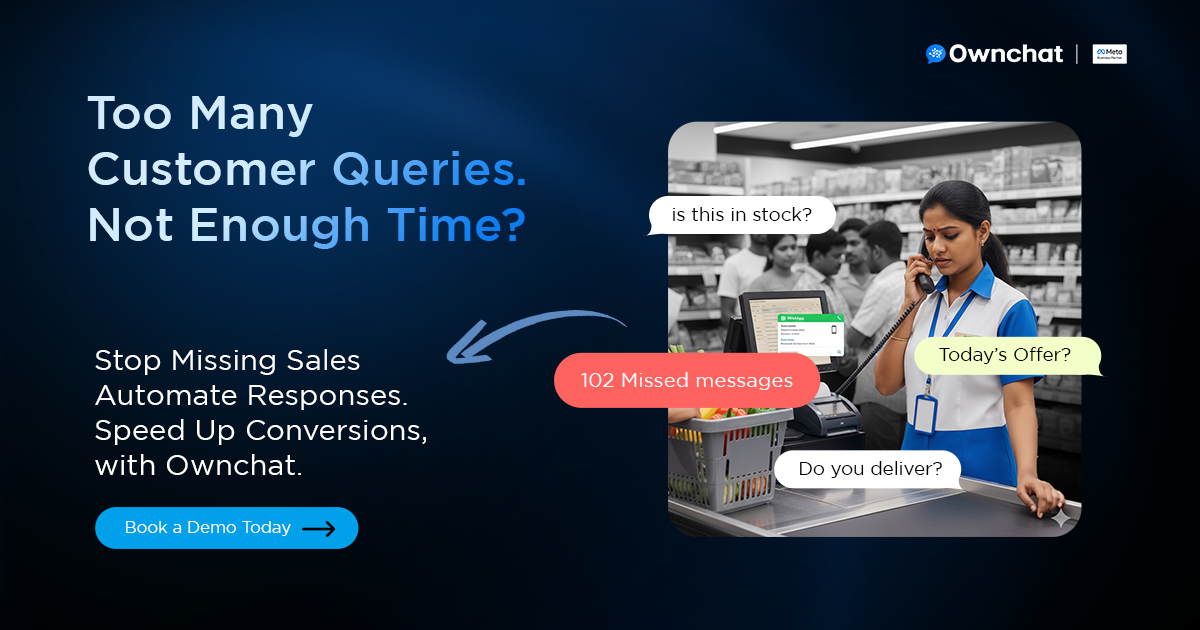
The store is crowded.
Billing counters are packed.
A staff member’s phone keeps buzzing.
Messages keep coming:
“Is this product in stock?”
“What are today’s offers?”
“Do you provide home delivery?”
“What’s the minimum order?”
“Is Cash on Delivery available?”
“Can I get bulk pricing?”
Now multiply that by 50–500+ daily WhatsApp and Instagram inquiries.
Each reply takes 1–3 minutes.
During peak hours, messages get missed.
Slow responses mean lost customers.
This isn’t just a communication issue.
It’s an operational scalability gap.
For supermarkets handling high query volumes, automation isn’t optional — it’s foundational infrastructure.
This guide explains — step by step — how to manage high-volume customer queries using WhatsApp automation, and how platforms like Ownchat help convert conversations into revenue.
The Operational Problem: Why Manual Replies Don’t Scale
Supermarkets operate on tight margins.
Efficiency at billing and shelf management directly impacts revenue.
But manual communication creates hidden inefficiencies.
1. Staff Distraction from Core Operations
- Billing staff replying to WhatsApp
- Floor managers checking stock for chat queries
- Supervisors answering delivery questions
Every minute spent typing is a minute not spent running the store.
2. Missed Messages During Peak Hours
- Evening rush
- Weekend spikes
- Festival surges
Unanswered queries = abandoned purchase intent.
3. Slow Replies = Lost Customers
Customers expect near-instant responses on WhatsApp.
WhatsApp open rates exceed 90%, while email averages 15–25%.
When someone messages your supermarket, they’re already in buying mode.
Delays directly reduce conversion probability.
4. Human Error in Offer Communication
Daily offers change frequently.
Manual replies increase the risk of:
- Wrong price quotes
- Expired discount sharing
- Miscommunication on bulk pricing
Automation removes inconsistency.
5. Increasing Manpower Dependency
Many supermarkets respond by hiring more support staff.
But manpower cost grows linearly with message volume.
Automation scales without proportional payroll increase.
WhatsApp Automation for Supermarkets: The Scalable Communication Layer
Implementing WhatsApp automation for supermarkets isn’t just about faster replies.
It’s about building structured systems to manage high-volume WhatsApp inquiries efficiently.
With retail WhatsApp automation, supermarkets can:
- Automate grocery store inquiries
- Centralize supermarket customer service automation
- Automate product availability replies on WhatsApp
- Enable grocery delivery automation
- Reduce manpower cost in retail
Because grocery conversations are repetitive, automation delivers measurable operational efficiency.
Step-by-Step WhatsApp Automation Framework for Supermarkets
Here’s a practical, implementable framework.
Step 1: Identify and Categorize Repeat Queries
Audit 7–14 days of chat history.
Document:
- Product availability questions
- Offer-related inquiries
- Delivery zones
- Minimum order thresholds
- Bulk pricing requests
- Payment mode questions
Typically, 70–80% of queries fall into predictable categories.
These become your first automation flows.
Step 2: Configure Automated Keyword Triggers
Using WhatsApp Business API infrastructure (like Ownchat), configure triggers such as:
- “Offer” → Sends latest offers
- “Delivery” → Shares delivery policy
- “Oil” → Opens edible oil catalog
- “Bulk” → Displays wholesale pricing
Responses are instant — under 2 seconds.
No manual typing required.
Step 3: Build a Structured Product Catalog Flow
Instead of manually replying:
“Sunflower Oil 1L – ₹140 – Available”
Create a dynamic catalog that includes:
- Product images
- Pricing
- Stock status
- Quick add-to-cart buttons
Customers browse directly inside WhatsApp.
This improves speed and increases checkout conversion.
This is a key component of WhatsApp order automation and grocery store WhatsApp automation.
Automate Product Availability Replies on WhatsApp
Stock confirmation is one of the most common supermarket queries.
Instead of typing each response manually, automation can:
- Show live pricing
- Display catalog images
- Confirm availability instantly
- Enable add-to-cart
This reduces missed grocery store inquiries and improves response speed.
Step 4: Automate Daily Offer Broadcasts
Supermarkets run:
- Weekend discounts
- Festival bundles
- Flash sales
- Clearance promotions
Automation enables segmented WhatsApp broadcast campaigns for supermarkets.
Benefits include:
- Higher repeat purchase frequency
- Increased average basket size
- Faster promotion adoption
Given WhatsApp’s high open rates, this channel consistently outperforms traditional email.
Step 5: Enable Payment Link & Order Confirmation Automation
Once customers select items, automation can:
- Generate payment links
- Confirm orders instantly
- Send digital receipts
- Share delivery confirmation
For stores offering Cash on Delivery, automation captures delivery details automatically.
This strengthens grocery delivery automation and reduces checkout friction.
Step 6: Enable Intelligent Human Takeover
Automation handles structured queries.
Human agents step in only for:
- Complex refunds
- Custom bulk negotiations
- Escalated complaints
This hybrid approach ensures operational efficiency without losing personalization.Ownchat’s centralized dashboard allows supervisors to monitor conversations in real time.
Realistic Supermarket Use Case Flow
Customer sends:
“Is Sunflower Oil 1L available?”
Automated flow:
- Instant stock confirmation
- “Yes, Sunflower Oil 1L is available.”
- Price display
- ₹140
- Add-to-cart button
- Delivery option prompt
- Payment link generation
- Order confirmation message
Total time: Under 60 seconds.
No manual staff involvement.
That’s operational efficiency at scale.
Benefits for Supermarket Operations
- 24/7 Instant Replies - Even outside business hours.
- Reduced Manpower Cost - Automation handles 60–80% of repetitive queries.
- Faster Checkout Conversion - Reduced friction increases completed transactions.
- Improved Customer Experience - Customers prefer structured, immediate responses.
- Higher Repeat Purchase Rate - Offer broadcasts drive recurring weekly sales.
- Centralized Analytics Dashboard - Track inquiry volume, conversions, peak hours, and revenue impact.
How to Reduce Manpower Cost in Retail Using Automation
Manual messaging increases staffing pressure.
With WhatsApp Business API for supermarkets, automation can handle up to 70–80% of repetitive conversations.
By implementing structured supermarket customer service automation, stores can:
- Reduce manpower cost in retail
- Improve response speed
- Minimize missed grocery store inquiries
- Scale without increasing payroll
This transforms WhatsApp into a true grocery store automation software layer — not just a messaging tool.
ROI Breakdown: Quantifying the Revenue Impact
Let’s apply conservative numbers.
- 300 daily inquiries
- 20% missed manually → 60 lost opportunities
- Average order value: ₹1,200
If automation recovers 15% of missed queries:
60 × 15% = 9 additional orders per day
9 × ₹1,200 = ₹10,800 daily
Monthly impact:
₹10,800 × 30 = ₹3,24,000 additional revenue
This excludes:
- Increased repeat purchases
- Higher basket size
- Reduced manpower costs
That’s real supermarket WhatsApp automation ROI.
Addressing Common Objections
“Will customers feel it’s robotic?”
Modern automation is structured and fast. Customers value instant responses. Human takeover is always available.
“Is setup complicated?”
With Ownchat:
- Query mapping
- Flow setup
- Catalog integration
- Payment configuration
Most supermarkets launch within days.
“Is WhatsApp safe for business?”
WhatsApp Business API is secure, scalable, and widely adopted across retail industries.
“Will this replace my staff?”
No. It reallocates staff effort from repetitive typing to:
- In-store experience
- Inventory optimization
- Customer relationship building
Automation enhances productivity.
Why Ownchat Enables Scalable Query Management for High-Volume Retail Businesses
Ownchat is designed to support businesses managing large volumes of daily customer conversations — including supermarkets, grocery chains, and other structured retail environments.
When your store handles 50–500+ daily inquiries, response speed directly affects revenue. Delays mean missed opportunities. Manual workflows create operational bottlenecks.
Ownchat solves this with structured automation infrastructure.
What Ownchat Provides
Structured WhatsApp automation flows
Automate repetitive queries with intelligent conversation paths.
Product catalog integration
Display pricing, availability, and add-to-cart options instantly.
Send segmented promotions and drive repeat purchases.
Enable fast, frictionless checkout directly inside WhatsApp.
Allow staff to intervene only when necessary.
Centralized analytics tracking
Monitor inquiry volume, conversion rates, peak hours, and revenue impact.
This makes Ownchat more than a messaging tool.
It becomes a scalable communication infrastructure layer for high-volume retail operations.
For deeper insights into retail-focused automation strategies, explore our guide on WhatsApp marketing for grocery operators.
Conclusion: Stop Letting Queries Slow Your Billing Counter
High-volume supermarkets cannot rely on manual messaging workflows.
When billing slows because staff are answering:
- “Is this available?”
- “What’s today’s offer?”
- “Do you deliver?”
It’s time to upgrade your communication infrastructure.
WhatsApp automation transforms customer queries into:
- Structured flows
- Faster conversions
- Measurable revenue
Stop letting queries slow your billing counter.
Book a demo of Ownchat today. Turn high-volume inquiries into scalable, revenue-generating conversations.
Frequently Asked Questions
1. How can supermarkets manage high-volume customer queries effectively?
By implementing WhatsApp automation for supermarkets, businesses can automate grocery store inquiries, reduce response time, and centralize customer conversations.
2. Is WhatsApp Business API safe for supermarkets?
Yes. WhatsApp Business API for supermarkets is secure, scalable, and widely used across retail industries for structured communication.
3. How does grocery delivery automation work on WhatsApp?
Through grocery delivery automation, customers can confirm delivery location, choose payment mode, and receive automated order updates without manual staff involvement.
4. What is the ROI of supermarket WhatsApp automation?
Supermarket WhatsApp automation ROI typically includes recovered missed inquiries, reduced manpower cost in retail, improved conversion rates, and increased repeat purchases.