Restaurants lose a significant number of orders due to app downloads, external links, slow checkout flows, and high marketplace commissions. Customers abandon orders when they are forced to switch apps, wait for pages to load, or repeat basic steps—especially during peak hours.
To solve this, restaurants are increasingly using WhatsApp as a direct ordering channel. With WhatsApp WebView, customers can browse menus, place orders, and complete payments without leaving the WhatsApp chat. When combined with a Petpooja-integrated menu, this creates a seamless, end-to-end food ordering experience for both Self Pickup and Door Delivery.
This guide explains what WhatsApp WebView is, how it works step by step, and why it delivers higher conversions, faster order completion, and better margins compared to apps, external links, or food marketplaces.
Understanding WhatsApp WebView for Restaurant Ordering
WhatsApp WebView: An Overview
WhatsApp WebView is an In-chat browser that opens directly inside a WhatsApp conversation. Instead of redirecting customers to Chrome, Safari, or a mobile app, the ordering page loads within WhatsApp itself.
From the customer’s perspective:
- No app download
- No new tab
- No login friction
- Everything happens in one chat
Menu Display Inside WhatsApp WebView
- The restaurant menu is automatically synced from Petpooja
- Menu categories (Starters, Main Course, Combos, Add-ons, etc.) appear exactly as configured in the POS
- Prices, item availability, and modifiers stay updated in real time
Smart Menu & Transparent Pricing Based on Pickup or Delivery
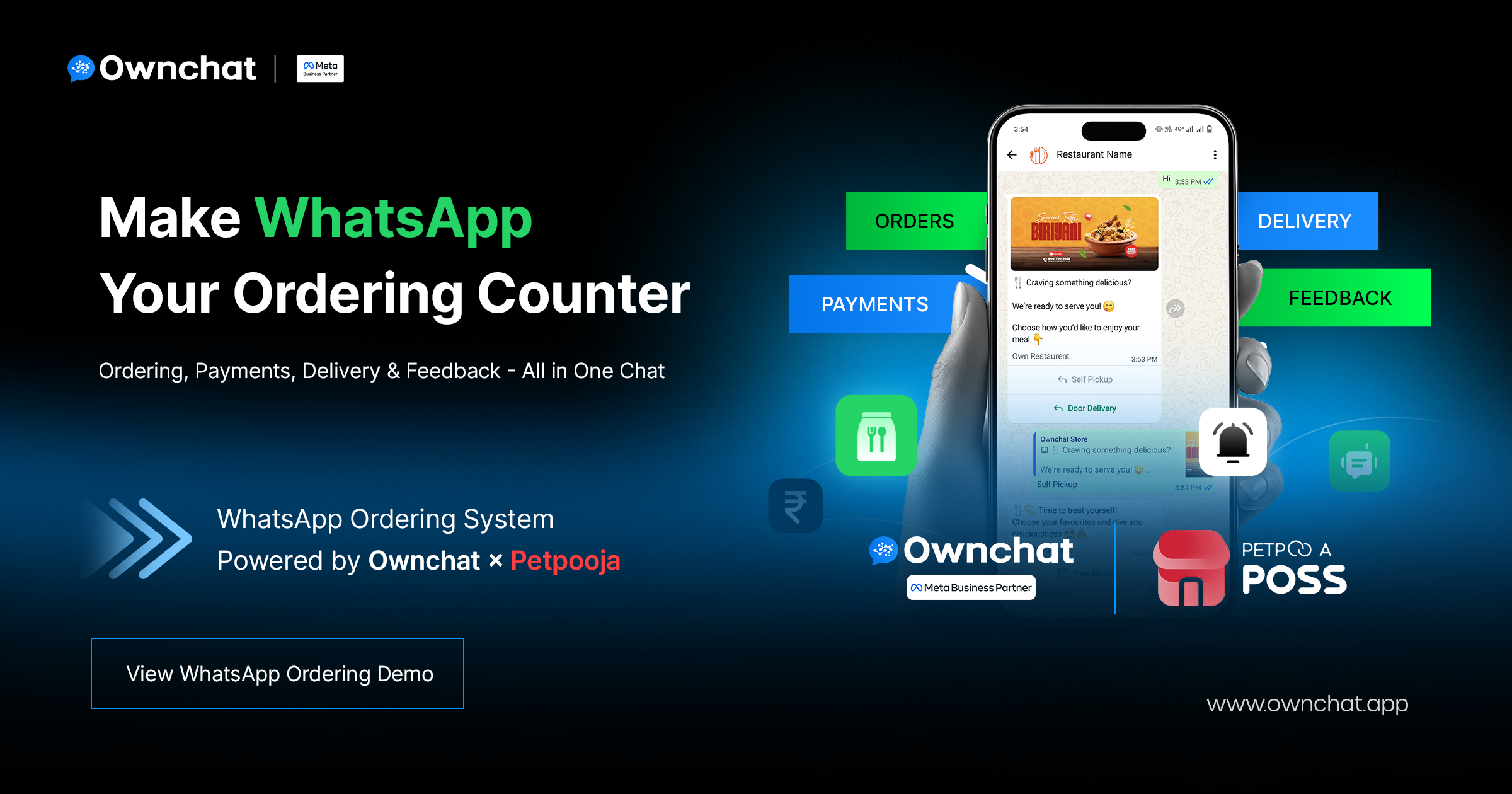
At the start of the WhatsApp conversation, the customer selects Self Pickup or Door Delivery.
Ownchat displays the restaurant’s menu directly inside WhatsApp using WebView, enabling a seamless in-chat browsing experience without redirects.
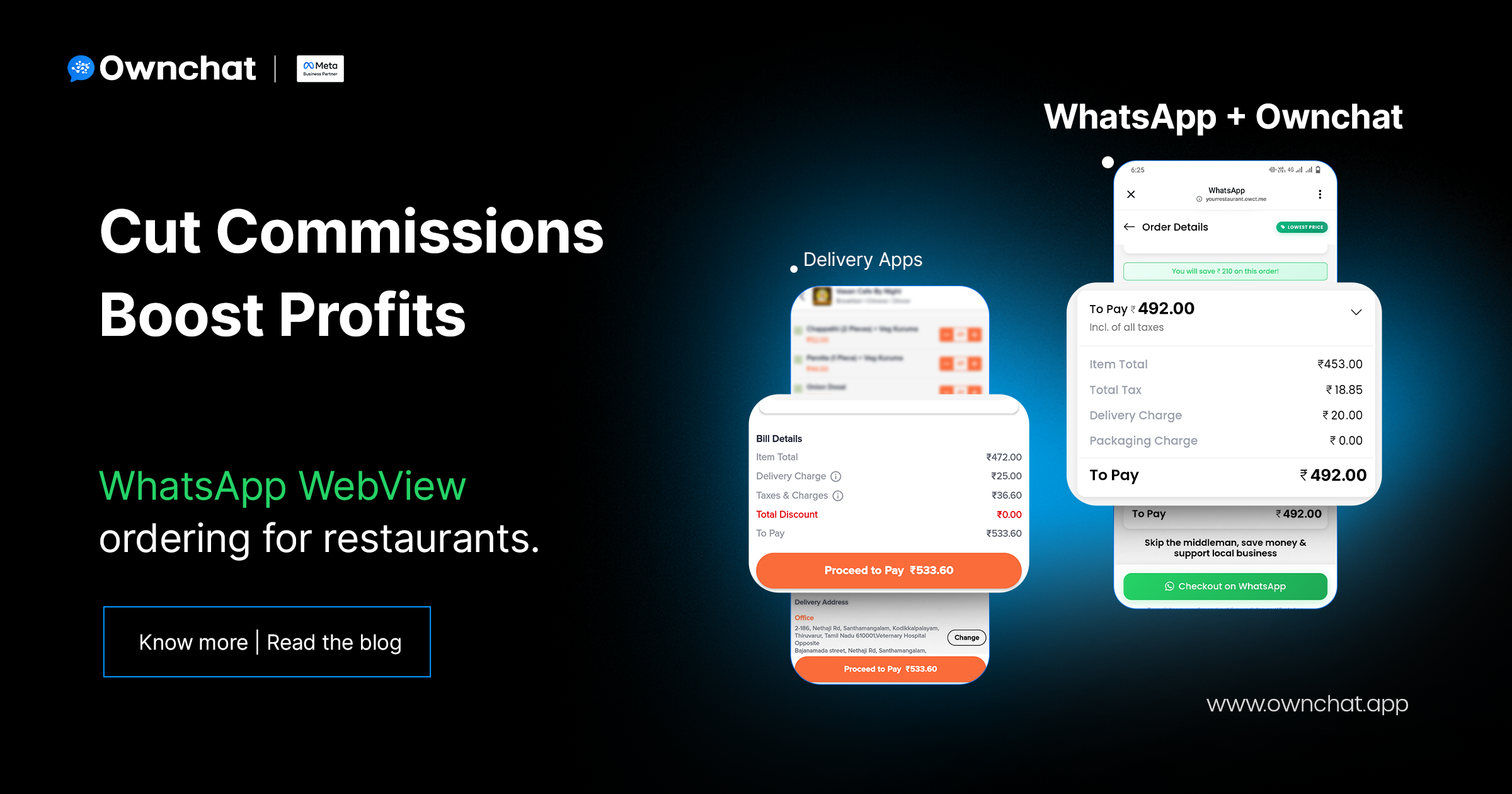
Based on the selected order type, pricing rules are applied automatically. Delivery charges and applicable taxes are added only for Door Delivery orders, with taxes calculated in real time. Item prices are displayed clearly, and the final payable amount is shown upfront before checkout.
This ensures a consistent menu experience with complete pricing transparency, eliminating hidden charges or unexpected fees.
How WhatsApp WebView Enables In-Chat Restaurant Ordering
Step 1: Order Type Selection
The customer starts the ordering journey inside WhatsApp and chooses one of the following options:
- Self Pickup
- Door Delivery
Step 2: Order Flow Based on Selection
Self Pickup Flow
- If the restaurant operates multiple outlets, the system first asks for the customer’s location to identify and display the nearest pickup outlet
- If the restaurant has only one outlet, the menu opens directly without any location prompt
- Once the outlet or location is confirmed, WhatsApp WebView opens instantly
- The Petpooja-synced menu is displayed inside the WhatsApp chat
- The customer adds items and proceeds to checkout
No delivery address or delivery-zone validation is required for Self Pickup orders.
Door Delivery Flow
- The system requests the customer’s location
- Delivery eligibility is automatically checked against the restaurant’s delivery zones
- The customer confirms or enters the delivery address
- Once validated, WhatsApp WebView opens with the full menu
If the address falls outside the delivery area, the system handles it automatically without any manual intervention.
Step 3: Ordering and Payment
- The customer selects items directly inside WhatsApp WebView
- The order is placed without leaving the WhatsApp chat
- A secure payment link is shared in the conversation
- The customer completes the payment
- An instant order confirmation message is sent
For Door Delivery orders, a delivery task is created automatically.
Step 4: Post-Order Experience
- Real-time order status updates are shared in WhatsApp
- Customers receive preparation and dispatch notifications
- Feedback is collected automatically after order completion
This end-to-end in-chat flow reduces follow-up calls and significantly improves customer satisfaction.
Business Value for Restaurants
Higher Conversion Rates
- Customers place orders directly inside WhatsApp, without being redirected to external pages
- Eliminating app downloads and browser switching significantly reduces drop-offs
- The frictionless WebView experience leads to higher order completion rates
Restaurants consistently achieve better conversions compared to external links or standalone mobile apps.
Faster Ordering and Fulfillment
- WhatsApp WebView loads instantly, even during peak hours
- Location validation, delivery checks, and checkout happen within a single flow
- Orders are pushed directly to the POS, enabling faster kitchen processing
This results in quicker turnaround times and improved operational efficiency.
Lower Costs, Higher Margins
- Restaurants retain full ownership of customer data
- No dependency on marketplace platforms or commission fees
- Direct WhatsApp ordering can save up to 25% compared to platforms like Swiggy and Zomato
- Identical menu pricing delivers higher net revenue per order
Direct Customer Relationship
- Build and maintain a first-party customer database
- Send offers, updates, and reorder reminders directly via WhatsApp
- Increase customer loyalty and repeat order frequency
WhatsApp evolves into a long-term revenue channel rather than a one-time ordering touchpoint.
Real-Time Visibility and Control
- Customers receive live order preparation and delivery updates
- Fewer “Where is my order?” support calls
- Increased transparency builds trust and improves customer satisfaction
Operations teams spend less time on coordination and customer support, allowing them to focus on growth.
Want to see how WhatsApp WebView ordering works for your restaurant?
Book a quick demo to experience in-chat menu browsing, ordering, and payments—without apps or external links.
Why WhatsApp WebView Outperforms Apps, Links, and Marketplaces
Mobile Apps vs WhatsApp WebView
- Mobile Apps require customers to download, install, and log in before placing an order
- App onboarding and storage usage create friction, leading to higher drop-offs
- Many customers abandon orders before reaching checkout
WhatsApp WebView, in contrast, allows customers to order directly inside WhatsApp with no downloads, no logins, and no additional steps—resulting in faster order completion.
External Links vs WhatsApp WebView
- External links redirect users out of WhatsApp to a browser
- Page load delays and broken journeys increase abandonment rates
- Customers often drop off during menu browsing or checkout
With WhatsApp WebView, the entire ordering journey stays inside the WhatsApp chat, ensuring a smooth, uninterrupted experience from menu to payment.
Food Marketplaces vs WhatsApp WebView
- Marketplaces charge high commissions that reduce restaurant margins
- Restaurants do not own customer data
- Branding and customer communication are controlled by the platform
WhatsApp WebView gives restaurants full ownership of customer relationships, complete control over communication, and significantly higher profitability per order.
Why WhatsApp WebView Performs Best
- End-to-end food ordering happens entirely inside WhatsApp
- No app installs, browser redirects, or unnecessary friction
- Faster menu browsing, checkout, and payments
- Full control over customer data, pricing, and engagement
- Higher order completion rates and better long-term margins
WhatsApp WebView combines WhatsApp’s massive reach with a seamless in-app ordering experience, making it the most efficient, scalable, and conversion-driven ordering channel for restaurants.
FAQs: WhatsApp WebView for Restaurant Ordering
1. What is WhatsApp WebView for restaurants?
WhatsApp WebView enables an in-chat food ordering experience where customers can browse menus, place orders, and complete payments directly inside WhatsApp—without being redirected to a browser or mobile app.
2. Does WhatsApp WebView support both pickup and delivery?
Yes. Customers can choose Self Pickup or Door Delivery, and the system automatically adjusts the ordering flow, pricing logic, and checkout experience based on the selected option.
3. Is WhatsApp WebView integrated with POS systems?
Yes. When integrated with Petpooja, menus, prices, item availability, and orders sync automatically, ensuring real-time accuracy and faster kitchen processing.
4. Do customers need to download an app to place an order?
No. The entire ordering journey—from menu browsing to payment—happens inside WhatsApp, eliminating the need for app downloads or registrations.
5. Are payments made through WhatsApp WebView secure?
Yes. Payments are completed via secure payment links shared directly in the WhatsApp chat, ensuring safe and reliable transactions for customers.
6. Can WhatsApp WebView help reduce Swiggy and Zomato commissions?
Yes. By driving direct orders through WhatsApp, restaurants avoid marketplace commissions and retain full revenue per order while owning customer data.
Ready to activate WhatsApp ordering with WebView for your restaurant?
Reduce marketplace commissions, increase direct order conversions, and take full control of your customer relationships.
Book a demo or enable WhatsApp ordering today.