In-Browser WhatsApp Voice Calls.
Answer, transfer & track WhatsApp calls inside your web workspace.
Handle inbound and outbound WhatsApp voice calls directly in your browser. Powered by low-latency WebRTC, sticky agent routing, live transfers, working hours sync, and call analytics.
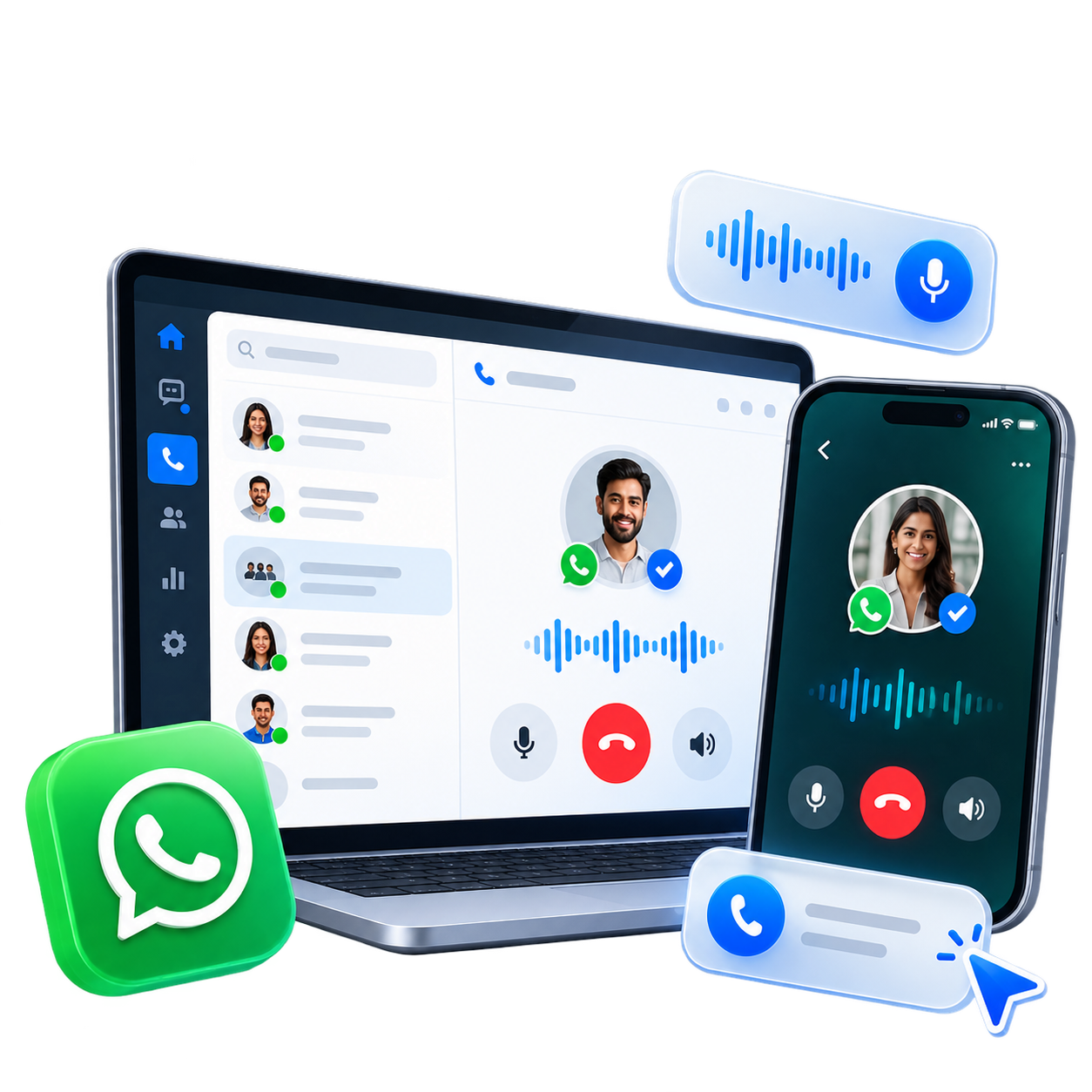
In-Browser WebRTC Voice Calls
Answer incoming customer WhatsApp calls or start outbound calls directly inside your web workspace with floating controls and HD audio quality.
Smart Sticky Agent Routing
Automatically ring the assigned chat agent first, or route unassigned calls to All Agents, Designated Users, or Round-Robin Teams.
Live Agent Transfers & Reclaim
Transfer active calls between online agents with live search and status indicators, plus one-click call reclaim if target agent is busy.
Working Hours Sync & Auto-Reply
Enforce business hours for voice calls, automatically declining off-hours calls while sending customized WhatsApp text fallback messages.
CRM History & Audio Recordings
Log every call event automatically into customer chat timelines with encrypted audio recording playback, duration tracking, and downloadable files.
AI Speech-to-Text Call Transcribe
Automatically convert recorded voice calls and customer audio notes into accurate text transcripts stored directly inside customer CRM history.
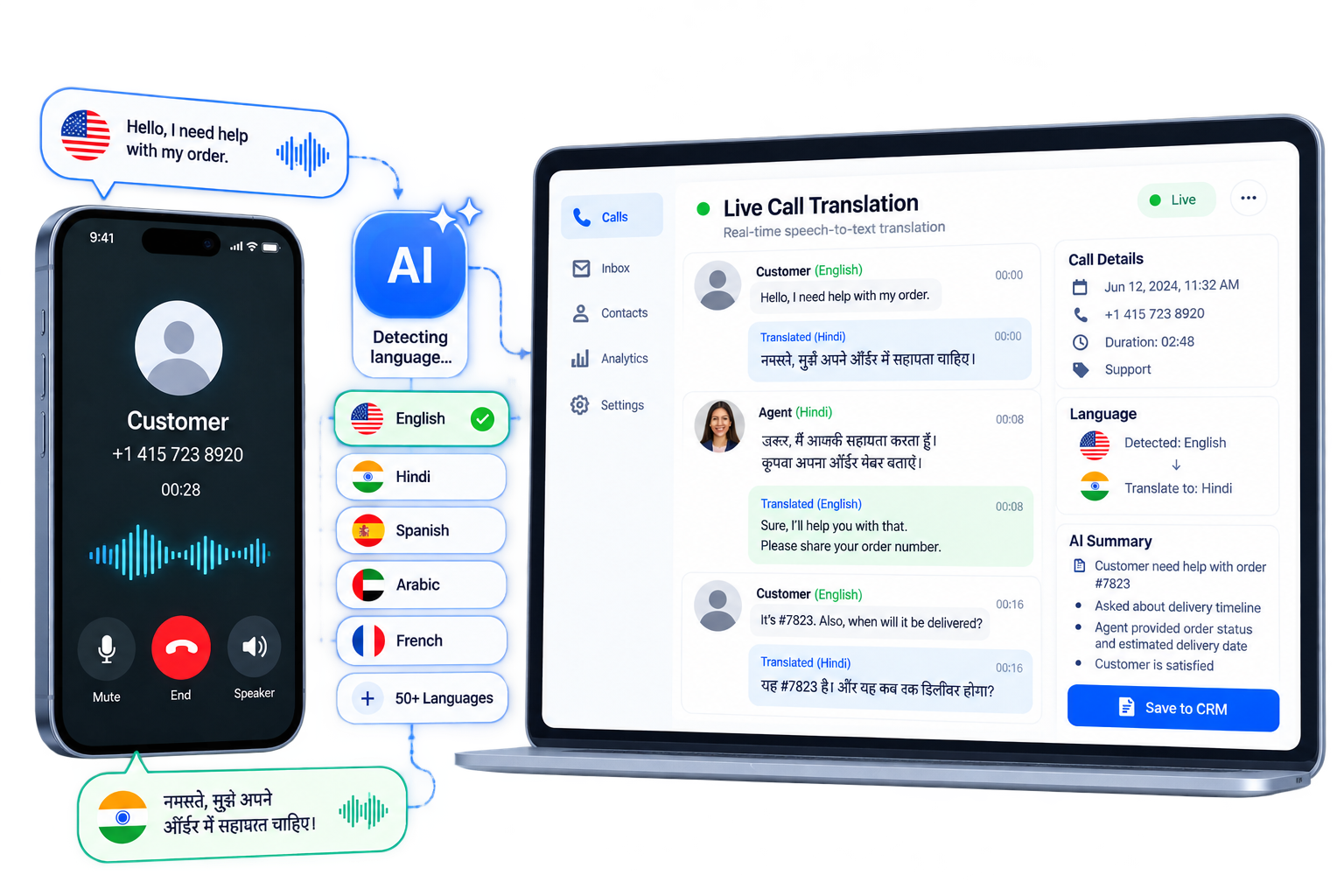
Real-Time Customer & Agent Translation
Instantly translate transcribed voice calls and audio messages between customer native language and agent language for seamless global support.
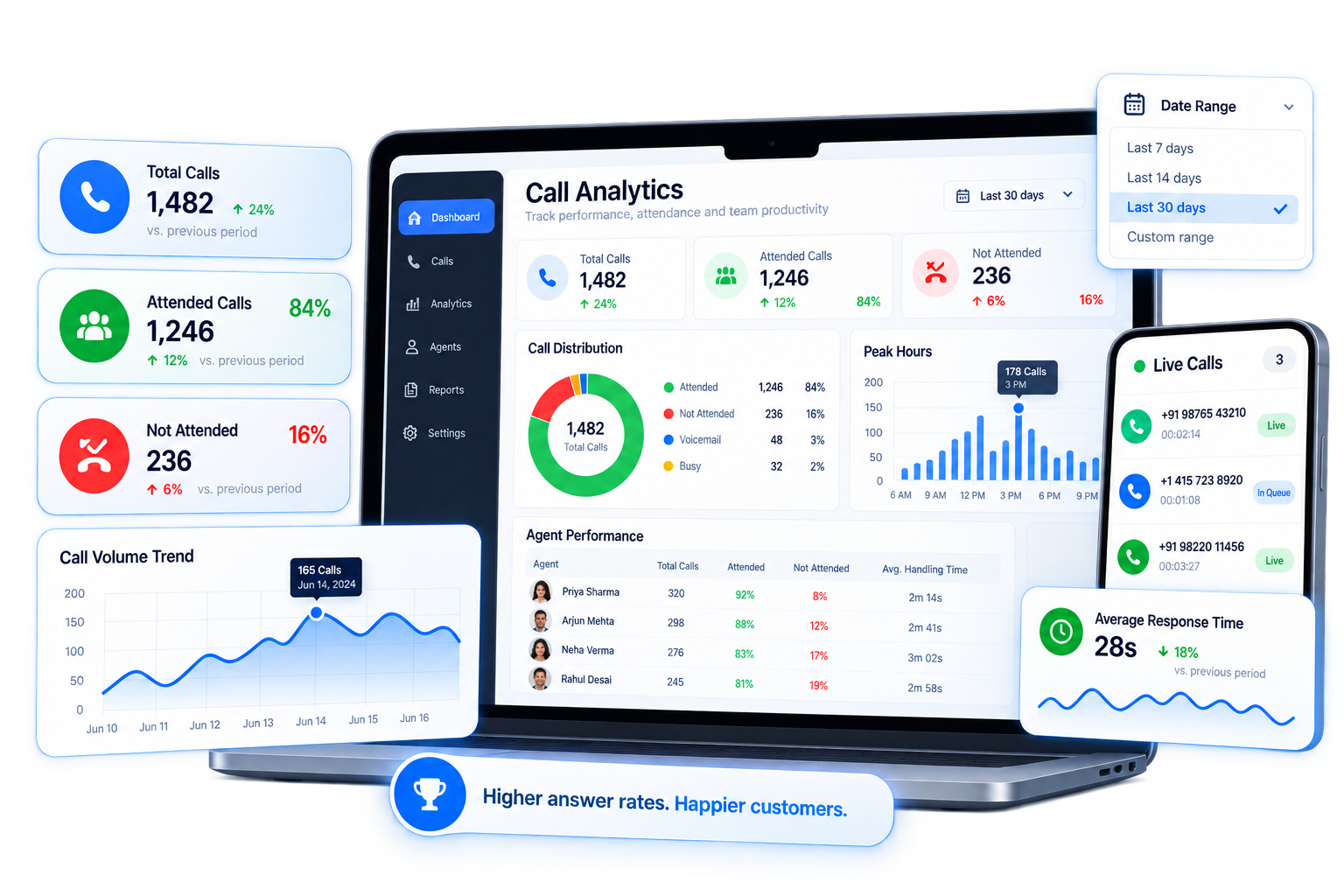
Call Analytics & Attended Rates
Track incoming, outgoing, and missed call metrics, monitor attended rate percentages, and analyze volume trends with interactive dashboards.
Direct WhatsApp Voice Calling in Your Browser
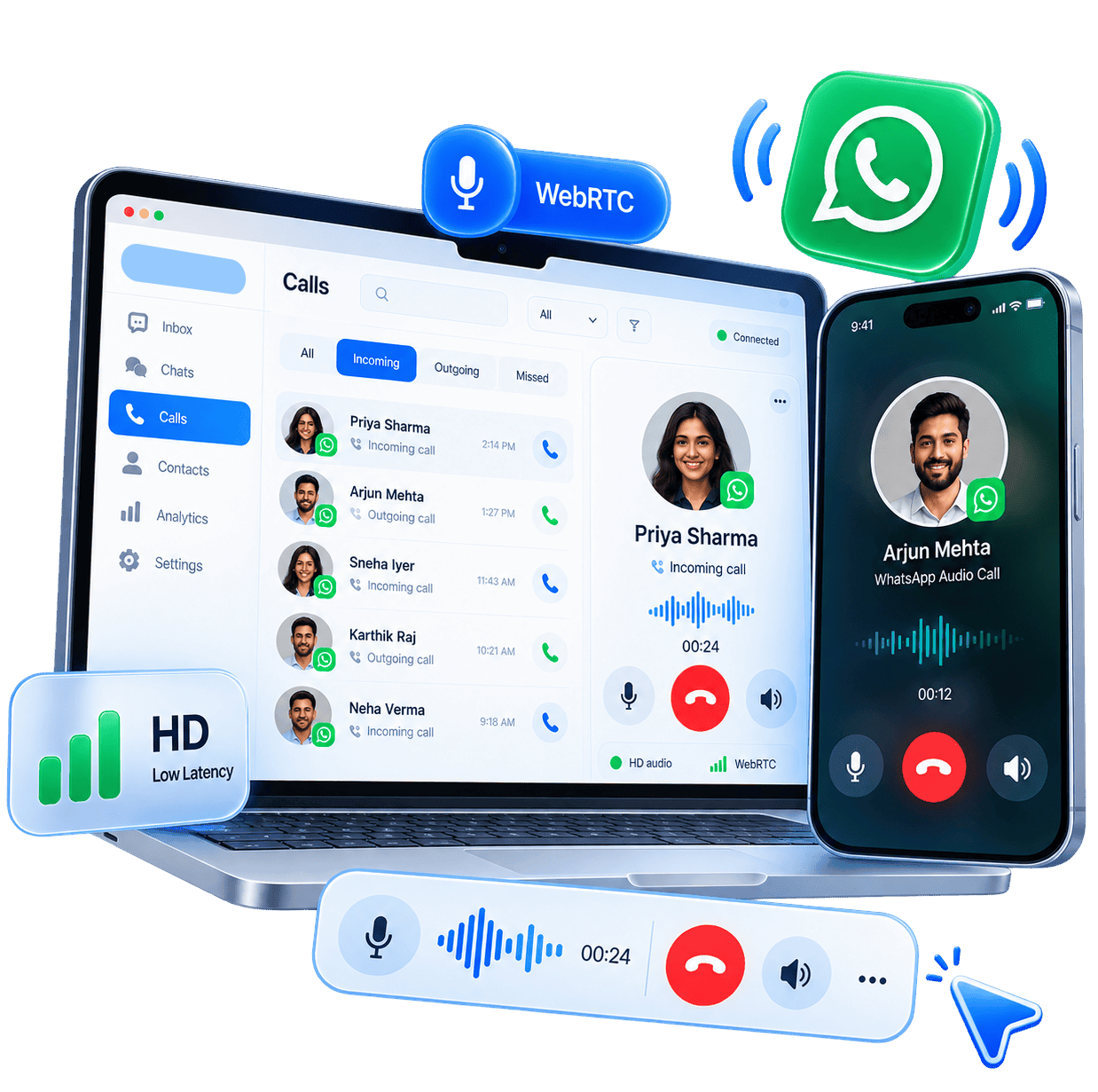
Make and receive WhatsApp voice calls directly inside your Ownchat workspace without extra phone hardware or SIM cards. Experience low-latency HD audio with intuitive floating call controls.
Real-time HD WebRTC audio calling directly within your web browser One-click outbound calling initiated directly from customer chat threads Floating incoming & active call panels with ringtone mute and duration timers In-browser microphone controls with instant mute and audio status indicators Multi-call queue notifications with quick accept and dismiss options
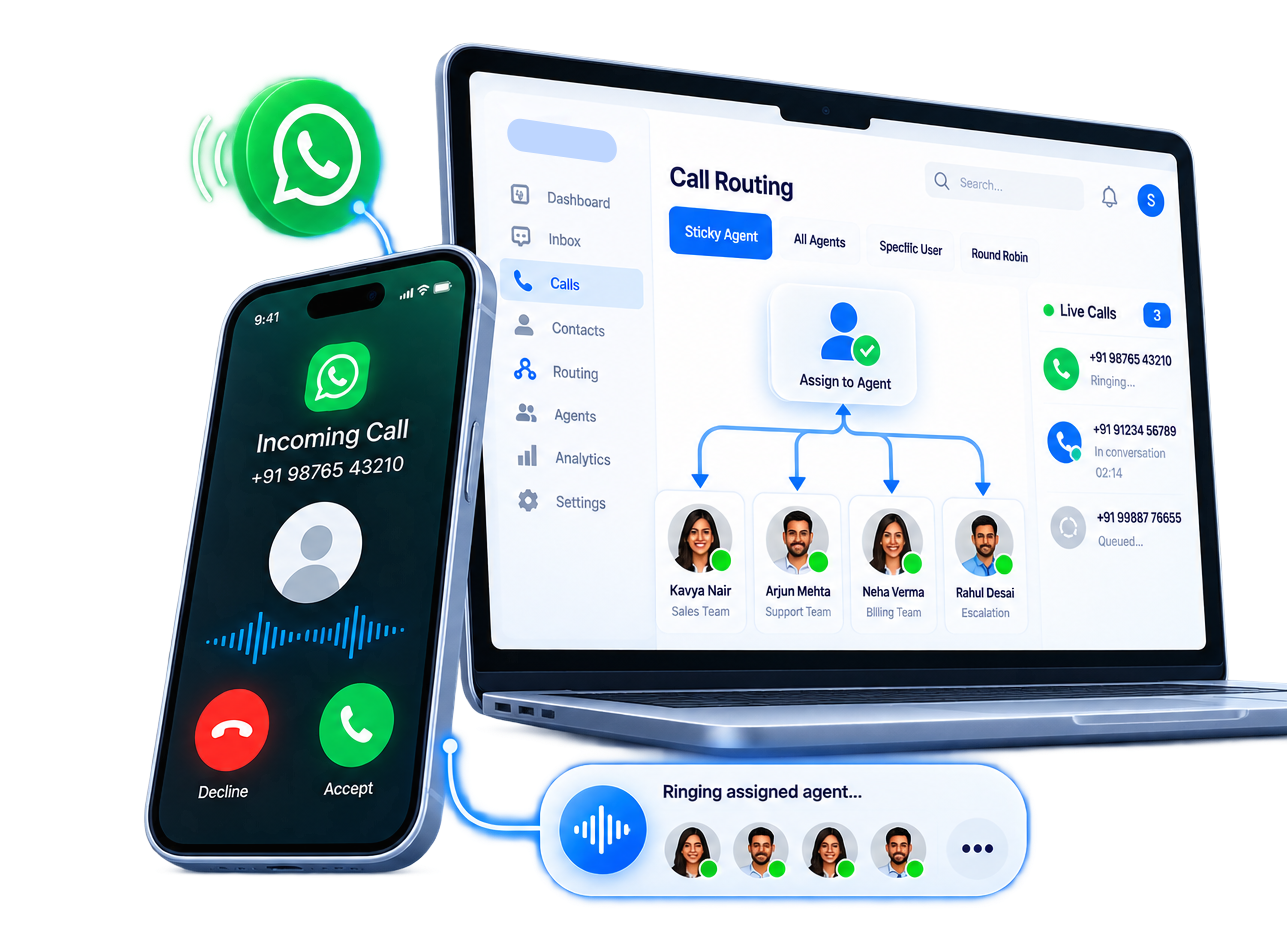
Intelligent Sticky Routing & Agent Assignment
Ensure every incoming call reaches the right team member. Ring the assigned chat agent first with Sticky Routing or distribute calls across designated users and teams.
Sticky Agent Assignment: automatically ring the contact's assigned agent first All Agents mode: ring all available workspace agents simultaneously Specific User mode: direct all unassigned inbound calls to a designated specialist Team Round-Robin mode: distribute incoming calls evenly across department members Voice Calls master switch with account-level control and Coexistence safety checks
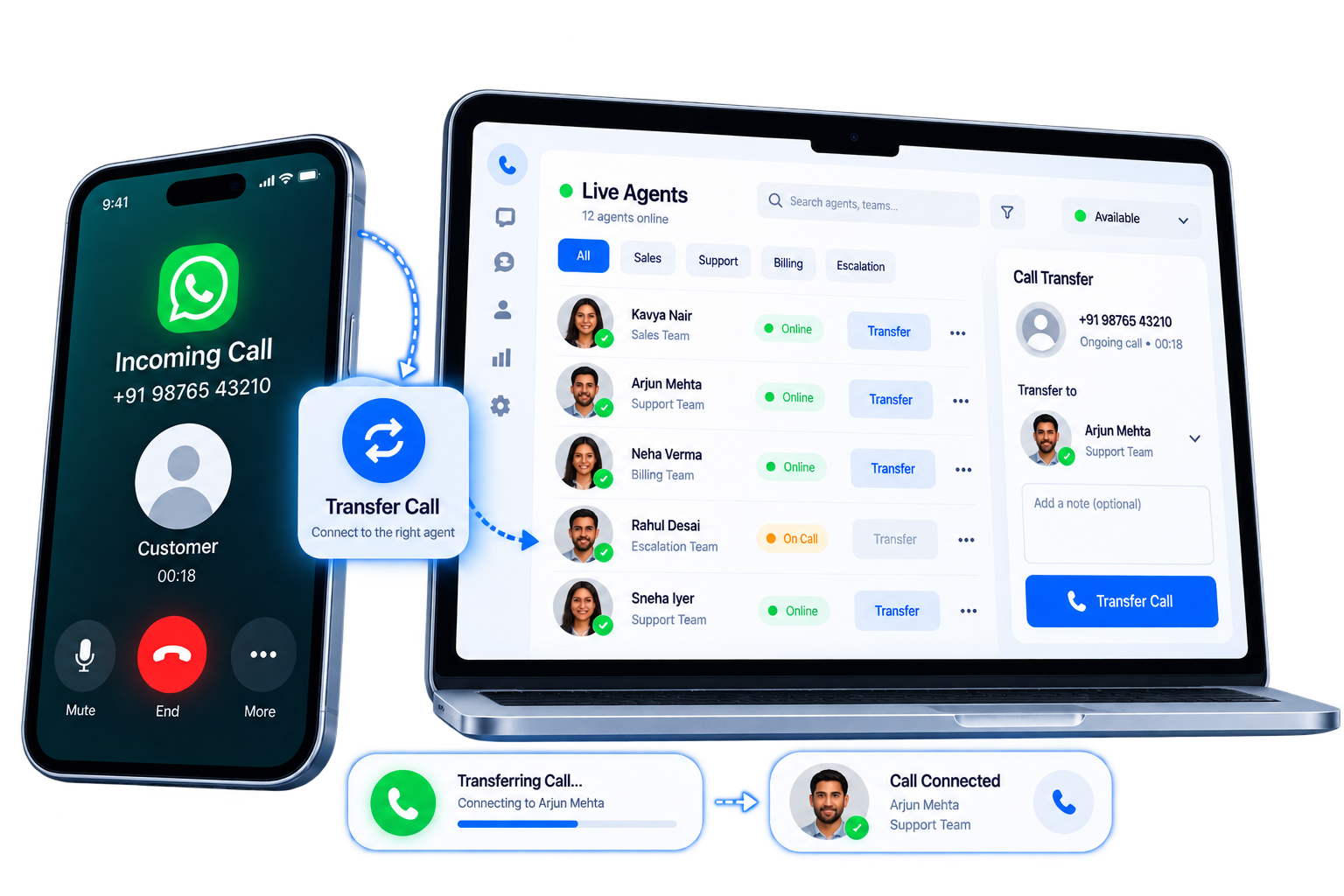
Seamless Live Call Transfers & Reclaim Controls
Transfer live WhatsApp calls smoothly between online agents. Search online team members, view real-time availability, and reclaim calls if the secondary agent is unavailable.
Live agent directory with real-time online and in-call availability indicators Quick agent search and instant transfer trigger with countdown timer Transfer Reclaim: retrieve calls back instantly if target agent does not answer Warm and cold transfer support maintaining conversation context Secondary call notifications allowing agents to manage multiple incoming requests
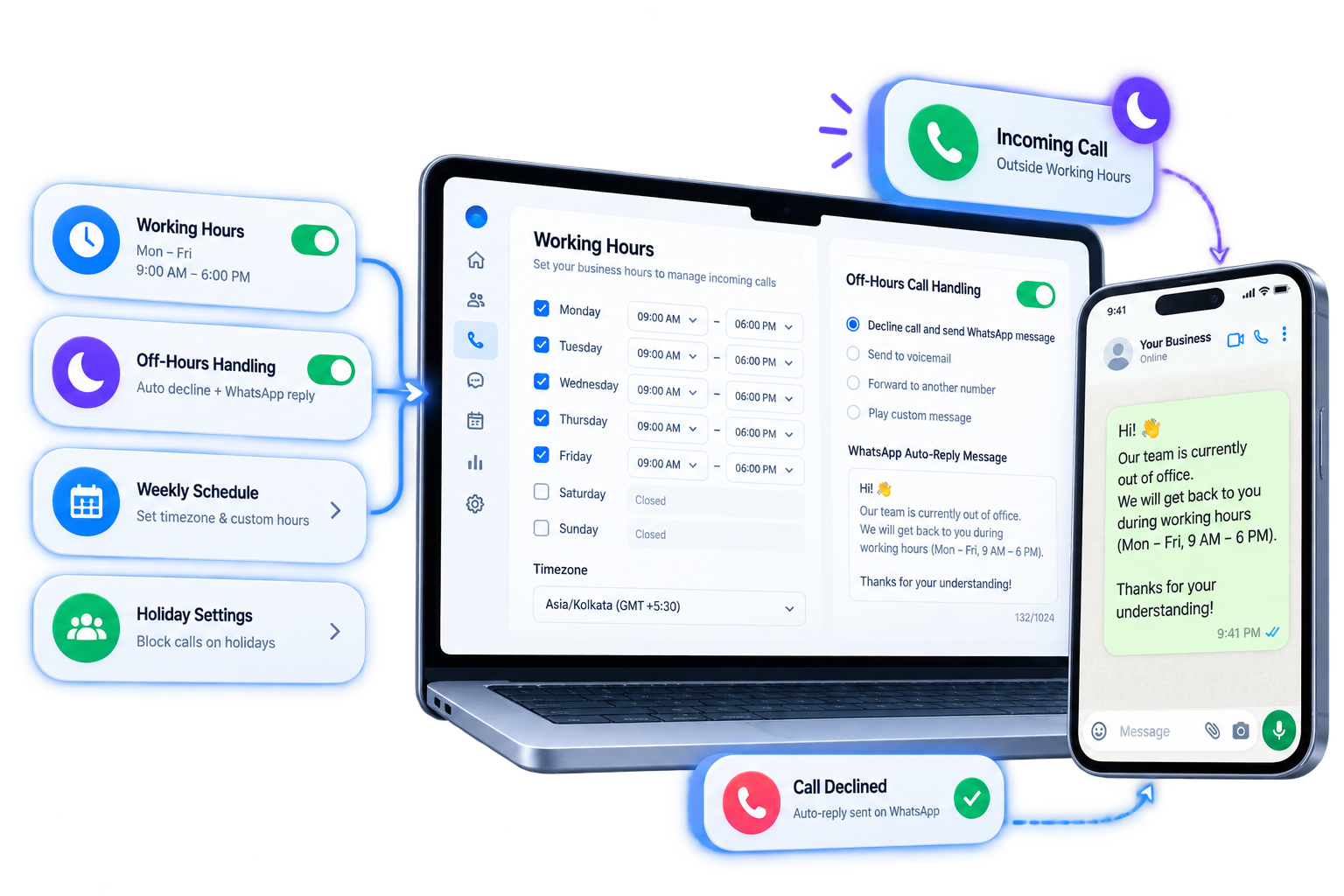
Working Hours Sync & Automated Off-Hours Fallback
Protect team off-hours while maintaining customer engagement. Automatically restrict call reception to business working hours and send automated WhatsApp text replies for out-of-office calls.
Sync voice call availability directly with account working hours settings Automatic out-of-hours call decline with custom WhatsApp text template fallback Direct quick-link access to configure weekly schedules and timezone settings Prevent unexpected calls during night hours and company holidays Convert missed off-hours calls into structured WhatsApp chat follow-ups
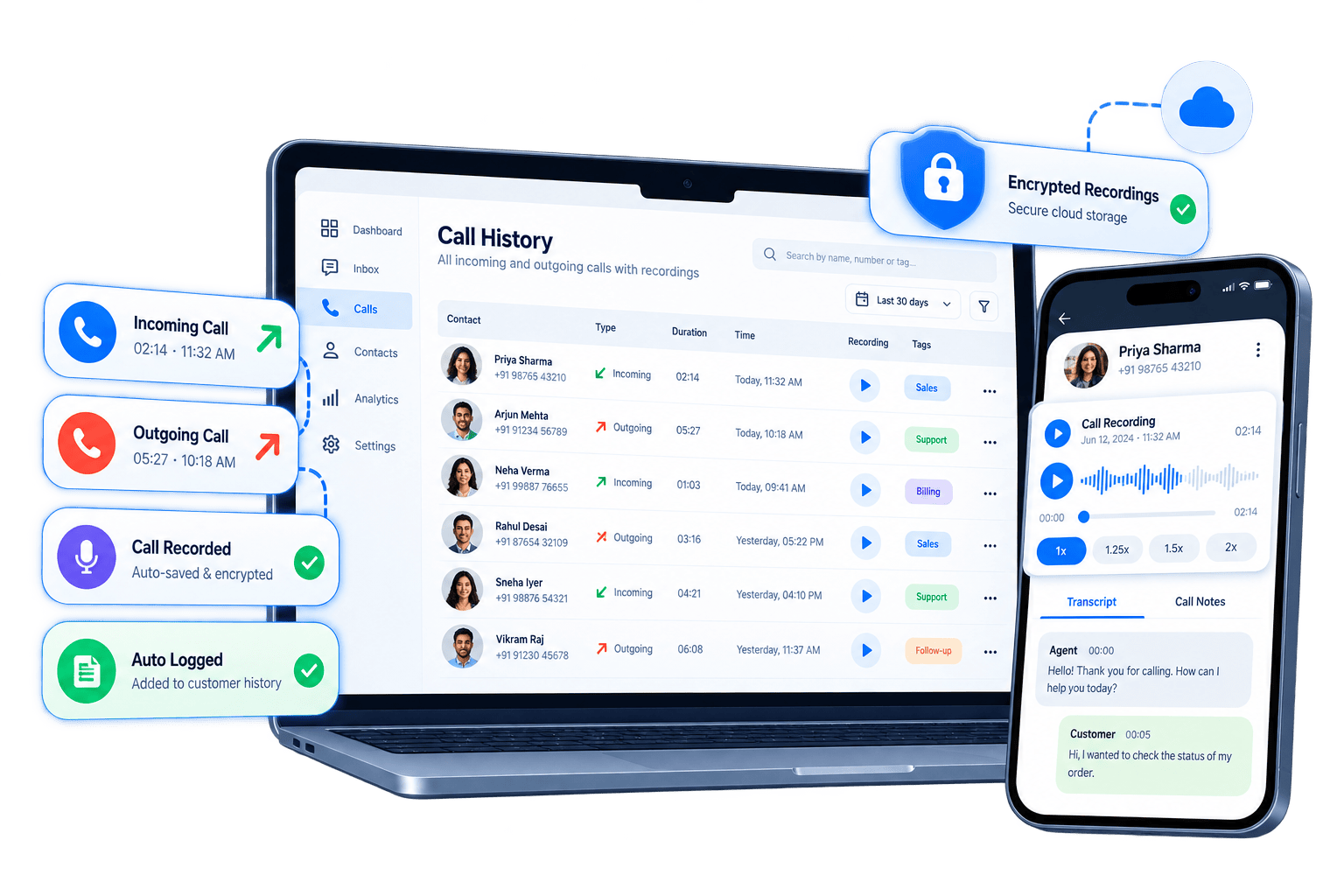
Customer Call History & Encrypted Audio Recordings
Maintain complete voice interaction context for every customer. Every call event is logged into customer chat history with inline audio playback, duration stats, and downloadable recordings.
Automatic CRM chat timeline event logging for every incoming and outgoing call Inline audio player with playback speed controls (1x, 1.25x, 1.5x, 2x) & seek bars Encrypted cloud audio recording storage with secure download options Call disposition tagging and internal agent call note logging Full historical audit trail linked directly to customer profiles
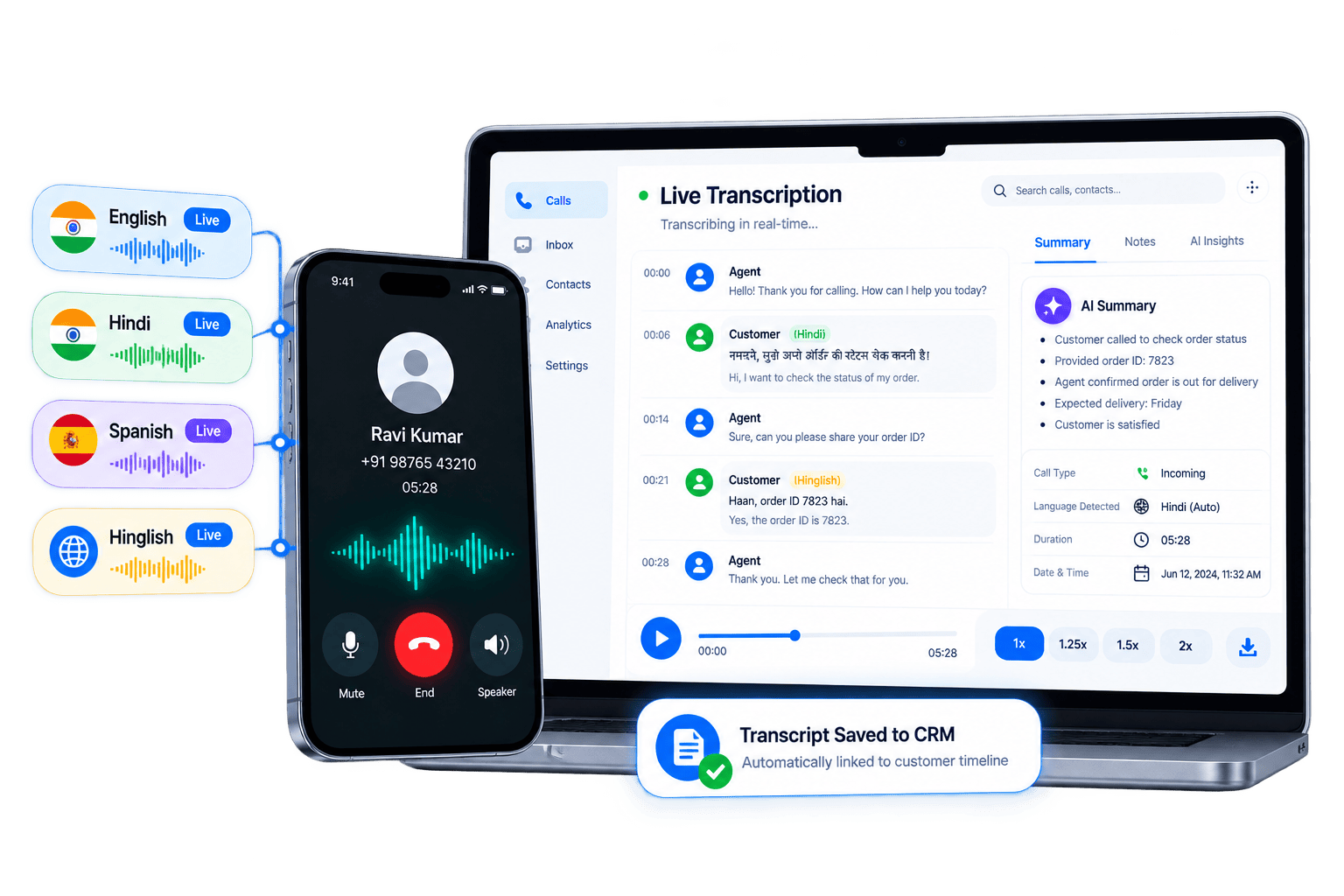
AI Speech-to-Text Call Transcription
Convert voice call recordings and customer audio messages into searchable text transcripts automatically with high-accuracy AI speech recognition.
Automatic speech-to-text AI transcription for recorded calls and voice notes Multi-language speech recognition supporting English, Hindi, Hinglish, Spanish & more Searchable transcript text saved on customer CRM timeline for instant lookup AI key topic extraction and sentiment summaries for manager review Variable storage for automated bot workflows and CRM field population
Real-Time Voice & Transcript Translation
Break down language barriers with instant AI translation. Automatically translate call transcripts and voice notes into your agent's preferred working language.
Instant AI translation of call transcripts into agent native language Auto-detection of customer spoken language with confidence scoring Bi-directional translation allowing agents to respond in customer preferred language Supports over 50 global and regional languages with domain-specific accuracy Empower support reps to handle international customer calls effortlessly
Real-Time Call Analytics & Attended Rates
Gain complete operational visibility into your voice channel. Track call volume, analyze attendance rates, monitor peak hours, and benchmark agent performance.
Metrics dashboard tracking Inbound, Outbound, and Not Attended (missed) calls Attended Rate percentage KPI monitoring team responsiveness in real time Interactive charts for daily call volume trends and distribution share Flexible date range filters: 7 days, 14 days, 30 days, or custom date picker Agent response speed and call handling duration benchmarks for QA evaluation
Frequently Asked Questions
Everything you need to know about WhatsApp Voice Calling in Ownchat.
Trusted by Growing Businesses
Helping Businesses Improve Customer Engagement. See how teams use WhatsApp and Instagram automation to improve response times, engagement, and conversions.

















Genuine Reviews from Growing Businesses
See how businesses across India use Ownchat to improve customer engagement and conversions.
We have been working with the Ownchat team for the past two years. Earlier, we received 1500–2000 chats per day and couldn’t handle them manually. After implementing Ownchat, we now use an automated chatbot that instantly responds to customers and handles queries on time. We no longer miss customer messages, and our business continues to grow every day. Their customer success team is always available and provides excellent support whenever we need it.

Vijay
The Ownchat team is approachable, open to suggestions, and genuinely focused on improving the product experience for their users.

Senma S.
Ownchat helps us take orders directly on WhatsApp, eliminate delivery aggregator commissions, and stay connected with our customers for support and feedback — all in one place.

Gayathri
Ownchat lets us use WhatsApp programmatically while providing a very user-friendly chat interface. Having customer information directly inside the chat helps our agents resolve issues faster, even while managing hundreds of customers and thousands of messages daily. The setup process was smooth, and the team was extremely helpful.

Adi S.
We switched from another WhatsApp API to Ownchat, and running campaigns is now much easier. Our WhatsApp operations are organised and clear.
Mano
Very good experience handling bulk data. The team is friendly and provides quick responses whenever we need support.

Kowsalya
Plug AI Into Your Own Data & Integrations
Connect Ownchat workflows with your favorite tools and platforms. From e-commerce to CRM, POS to analytics — automate everything.