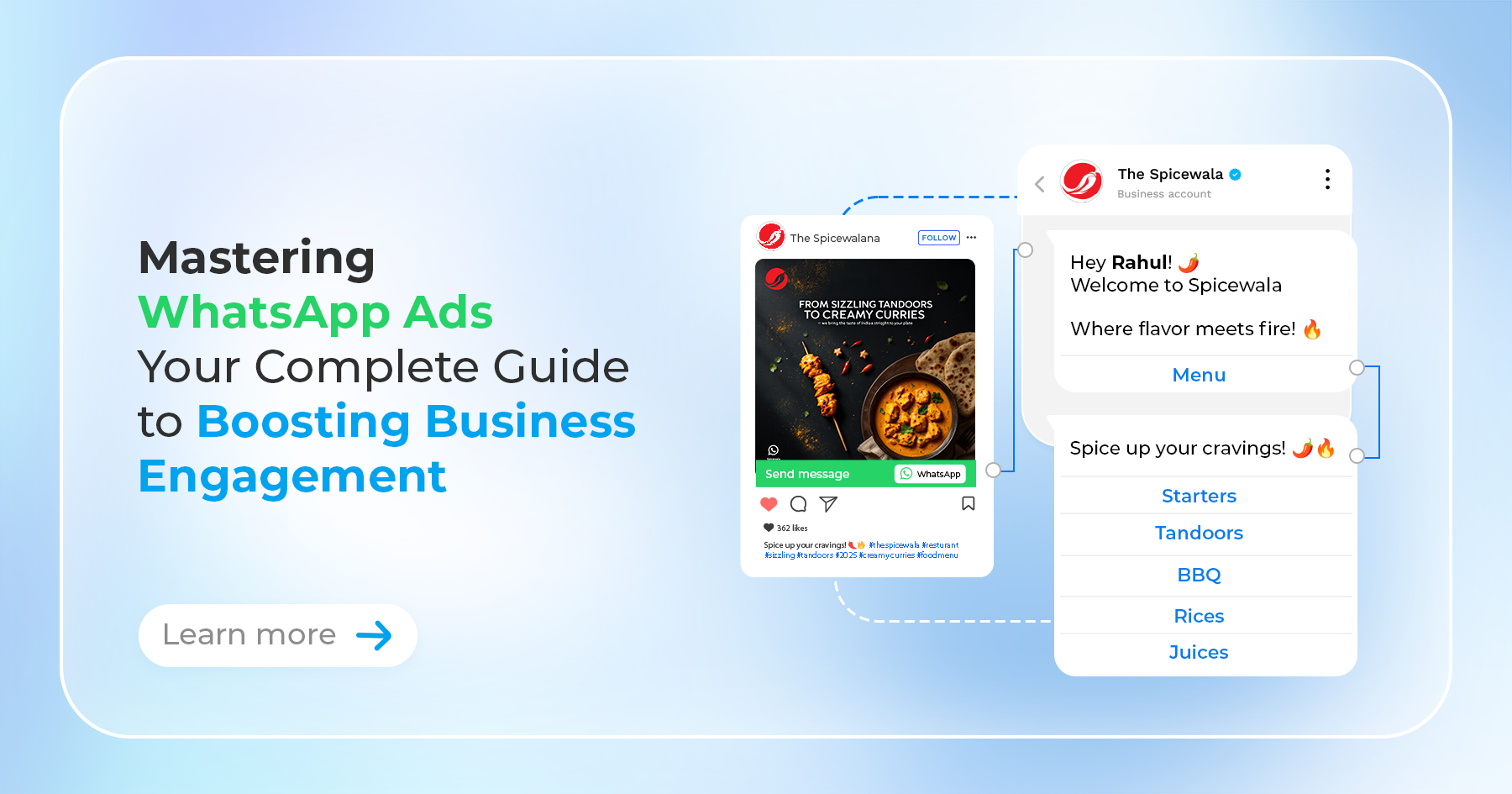
In today’s fast-paced digital world, WhatsApp has become a powerful tool for businesses to connect with their audience on a personal level. With over 2 billion users globally, WhatsApp offers a unique platform for running ads that foster direct communication between businesses and customers. This guide will walk you through the essential steps to create effective WhatsApp ads that drive engagement and conversions, helping you grow your business in the process.
1. Setting Up Your WhatsApp Business Account
Before diving into creating ads, it’s crucial to set up a WhatsApp Business account. This account is your gateway to managing customer interactions, creating automated responses, and accessing business-specific features like product catalogs and broadcast lists.

Steps to Set Up:
- Download the WhatsApp Business app from the App Store or Google Play. Register your business phone number.
- Customize your profile with your business name, logo, description, and website link.
- A well-optimized WhatsApp Business profile enhances your brand’s credibility a makes it easier for customers to engage with your business
A well-optimized WhatsApp Business profile enhances your brand’s credibility and makes it easier for customers to engage with your business.
2. Linking WhatsApp to Your Facebook Business Page
Since WhatsApp ads are primarily run through the Facebook Ads Manager, linking your WhatsApp account to your Facebook Business Page is necessary. This integration allows you to track ad performance and manage customer interactions more effectively.

How to Link:
- Go to your Facebook Business Page settings.
- Click on “WhatsApp” and follow the instructions to link your account.
- Verify your WhatsApp number.
This step ensures that you can leverage the full capabilities of WhatsApp advertising, enhancing the effectiveness of your campaigns.
3. Choosing the Right Ad Objective
In the Facebook Ads Manager, selecting the right ad objective is key to crafting a successful campaign. Your objective should align with your business goals, whether that’s driving traffic, increasing conversions, or boosting customer engagement.

Common Objectives for WhatsApp Ads:
- Messages: Direct users to start a conversation on WhatsApp.
- Traffic: Increase the number of visitors to your website or app via WhatsApp.
- Conversions: Encourage specific actions like purchases or sign-ups through WhatsApp interactions.
Choosing the correct objective ensures that your ads are tailored to meet your business’s specific needs.
4. Creating and Customizing Your Ad
With your objective in place, it’s time to build and customize your ad. Facebook offers several ad formats that can be optimized for WhatsApp, each designed to capture your audience’s attention and prompt action.

Ad Formats to Consider:
- Single Image or Video: Capture attention with striking visuals and a compelling call-to-action (CTA).
- Carousel: Showcase multiple products or features, allowing users to swipe through different options.
- Slideshow: Combine images, text, and sound to create an engaging ad experience.
Key Tips:
- Use high-quality images and videos that resonate with your target audience.
- Write concise, persuasive ad copy with a clear CTA, like “Chat with Us on WhatsApp.”
Customizing your ad effectively is crucial to capturing your audience’s interest and driving engagement.
5. Targeting Your Audience
Effective audience targeting is essential for a successful ad campaign. Facebook Ads Manager allows you to create highly specific audiences based on demographics, interests, behaviors, and more, ensuring your ads reach the right people.

Audience Segmentation:
- Custom Audiences: Reach people who have already interacted with your business, such as past customers or website visitors.
- Lookalike Audiences: Target new customers who share similar characteristics with your existing audience.
Precise targeting helps maximize your ad’s impact by reaching those most likely to engage with your brand.
6. Optimizing Ad Placements
Ad placements determine where your ads appear across Facebook’s network. For WhatsApp ads, focus on placements that encourage mobile engagement, as this will drive more users to interact with your business on WhatsApp.
Optimal Placements:
- Facebook Feed
- Instagram Feed
- Facebook Stories
- Instagram Stories
Strategically choosing your ad placements can enhance visibility and improve the overall performance of your campaigns.
7. Launching and Monitoring Your Campaign
After setting up your ad, it’s time to launch it. Once your campaign is live, monitoring its performance closely using the analytics tools in Facebook Ads Manager is crucial. Keep an eye on key metrics to gauge your ad’s effectiveness and make adjustments as needed.

Key Metrics to Track:
- Click-through rate (CTR)
- Conversion rate
- Cost per click (CPC)
- Customer interactions on WhatsApp
Optimization Tips:
- Adjust targeting and budget based on performance data.
- A/B test different ad creatives and CTAs to see what resonates best with your audience.
- Use re-targeting strategies to re-engage users who interacted with your ad but didn’t convert.
Monitoring and optimizing your campaign ensures that you’re getting the best possible results from your WhatsApp ads.
Conclusion
Creating WhatsApp ads is a strategic way to enhance customer engagement and drive business growth. By following this guide, you can set up, customize, and optimize your WhatsApp ad campaigns effectively, ensuring you reach your target audience with the right message at the right time. As WhatsApp continues to grow in popularity, mastering WhatsApp advertising will become increasingly crucial for businesses looking to stay ahead in the digital marketing landscape.