Introduction
Running a restaurant today isn’t easy — staff are busy, customers expect instant replies, and marketing often gets pushed to the bottom of the priority list. You’re focused on serving great food and keeping operations smooth, but staying connected with customers can feel impossible.
Your Petpooja POS system keeps your restaurant organized — managing sales, inventory, and payments. But what if it could do more? What if it could power your marketing on WhatsApp, automate engagement, and help you grow effortlessly?
That’s exactly what happens with the OwnChat × Petpooja integration. Together, they turn your POS into a real-time WhatsApp marketing engine — connecting customer data, personalized automation, and measurable growth.
1. Convert POS Data into High-Performing WhatsApp Campaigns
Generic marketing messages don’t work anymore — today’s diners expect personalization.
The Petpooja WhatsApp integration with OwnChat syncs customer data like contact details, order frequency, and favourite dishes directly from your POS into OwnChat’s automation engine.
This allows your restaurant to:
🎯 Segment Smarter
Group customers based on real Petpooja data —
✅“Weekend Regulars”
✅“High Spenders”
✅“Biryani Lovers”
✅“Inactive for 60+ Days”
💬 Send Personalized Campaigns
Target each group with relevant WhatsApp offers —
✅Offer dessert discounts to sweet lovers.
✅Share “We Miss You” deals with lapsed customers.
✅Promote weekday lunch combos to frequent office-goers.
With OwnChat automation, every message feels personal, boosting engagement, loyalty, and conversions.
2. Automate Engagement — Send the Right Message at the Right Time
Timing is everything in restaurant marketing. OwnChat automation ensures every WhatsApp message lands at the perfect moment — triggered directly by your Petpooja POS data.
Here’s how automation works:
✅Welcome New Customers: Instantly send a greeting and a first-order offer.
✅Reward Loyalty: Congratulate customers when they hit spending milestones.
✅Re-engage Inactive Diners: Automatically share a personalized “We miss you!” Coupon after 30 days of inactivity.
✅Celebrate Occasions: Send birthday or anniversary greetings with exclusive offers.
This real-time automation runs 24/7 — keeping your customers engaged while your team focuses on great food and service.
3. Unify Customer Insights Across POS and WhatsApp
With OwnChat × Petpooja integration, you get a 360° view of your customers — combining offline purchase behaviour with online engagement.
You can now:
✅ See what each customer orders most frequently.
✅ Track how often they interact with WhatsApp campaigns.
✅ Identify which offers drive repeat sales.
This unified view helps you make smarter, data-driven marketing decisions and deliver consistent, personalized experiences — online and offline.
4. Track WhatsApp ROI Directly from Your POS
For the first time, you can clearly see how your WhatsApp marketing drives real sales.
When a customer receives a WhatsApp campaign and places an order, Petpooja automatically records the transaction, and OwnChat maps it back to the campaign that inspired the purchase.
You’ll know:
✅Which messages convert best?
✅Which offers bring customers back
✅How much revenue is generated through WhatsApp
This closed-loop reporting gives you full visibility into results — empowering you to refine campaigns, spend smarter, and drive consistent growth.
5. Easy Integration: Connect Petpooja and OwnChat in Minutes
Setting up Petpooja WhatsApp integration is simple — no coding required.
Just log in to your Petpooja dashboard, go to Marketplace → Integrations → OwnChat, and submit your restaurant details. Then connect Petpooja in the OwnChat dashboard using your API key and Vendor ID.
Once activated, all orders, menus, and customer data sync automatically — enabling WhatsApp automation, marketing campaigns, and real-time engagement from day one.
6. Automate Everything — From Orders to Customer Loyalty
Once connected, the integration runs on autopilot:
✅ Orders placed in Petpooja trigger instant WhatsApp confirmations.
✅ Delivery updates and receipts are sent automatically.
✅ Loyalty points and rewards are shared instantly.
✅ Marketing offers go out based on actual behaviour — not guesswork.
Your POS becomes a self-running marketing engine — converting every transaction into a conversation and every conversation into growth.
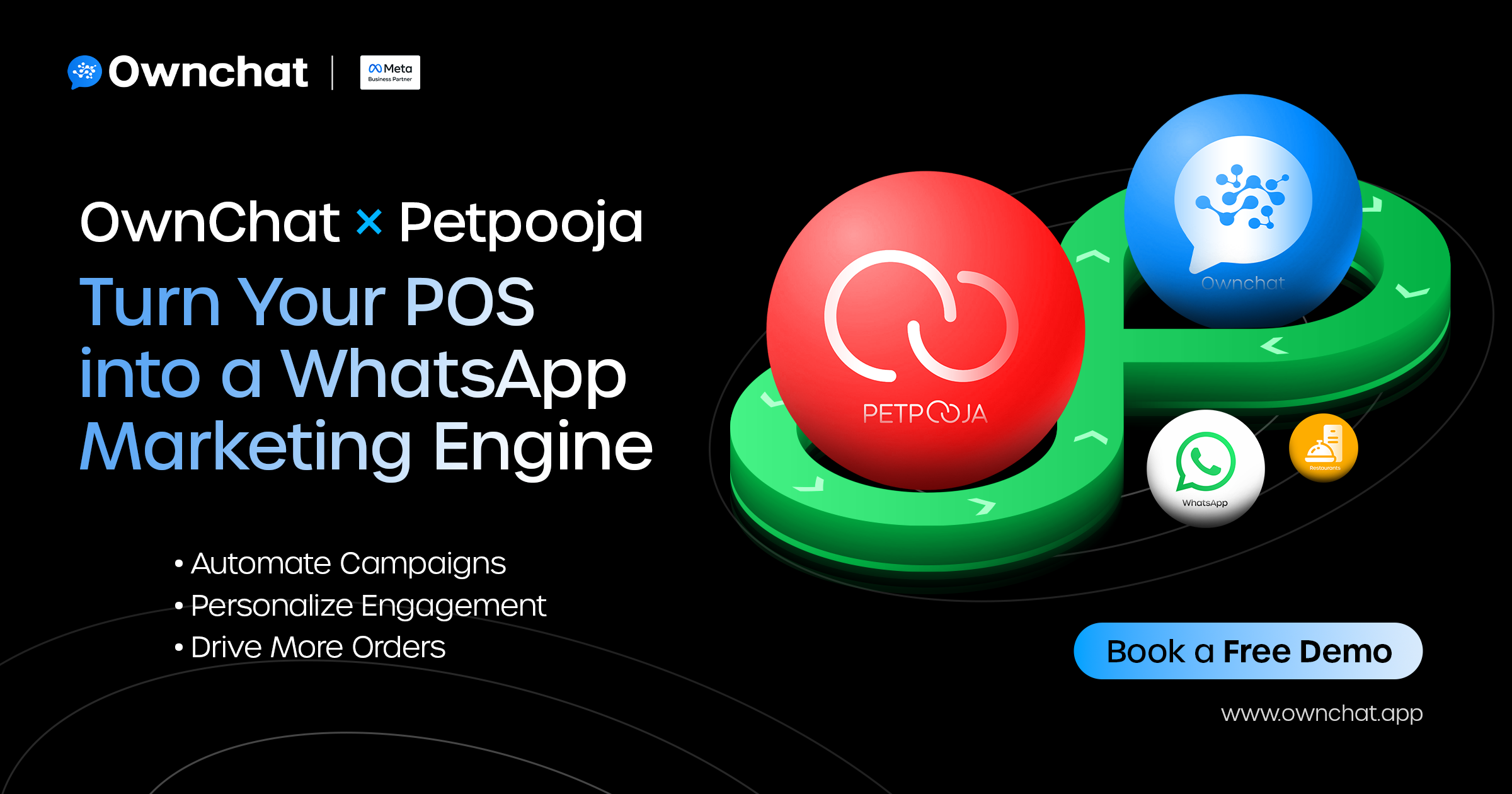
7. The Growth Loop: How Petpooja × OwnChat Connect Operations and Experience
Petpooja manages your operations — billing, menu, and inventory.
OwnChat manages your engagement — communication, offers, and retention.
Together, they form a continuous growth loop:
✅A customer places an order in Petpooja.
✅OwnChat automatically sends updates on WhatsApp.
✅Personalized campaigns follow — offers, birthdays, re-engagements.
✅The customer returns and reorders.
✅Petpooja logs it — and the cycle repeats.
🔁 Here’s how the loop works visually:
Customer places an order → Petpooja logs it → OwnChat sends confirmations → Personalized offers go out → Customer reorders → The loop continues.
That’s how automation fuels loyalty and long-term sales — effortlessly.
Success Snapshot: A Real-World Example
After integrating OwnChat with Petpooja,
Our client saw a 28% increase in repeat orders within the first month — driven by automated WhatsApp reminders and loyalty campaigns.
Smart automation doesn’t just save time — it builds relationships that keep customers coming back.
Every Chat Is a Chance to Grow
Stop letting valuable customer data sit idle in your POS. With OwnChat × Petpooja, you can automate engagement, personalise marketing, and measure impact — all through WhatsApp.
Every order is a chance to connect — every chat, a chance to grow.
With Petpooja WhatsApp integration, your POS becomes a marketing engine that never stops running.
🚀 Book a demo today and see how OwnChat × Petpooja can transform your restaurant’s growth — one conversation at a time.