Quick answer: The only safe way to send WhatsApp messages to thousands of customers is the official WhatsApp Business Platform (API) using approved templates, sent only to people who opted in. Grow your messaging limit gradually, segment your list, keep your quality rating high, and respect per-user marketing caps (error 131049). Unofficial "bulk sender" tools risk a permanent ban.
Key takeaways
- Bans usually come from unofficial tools or many blocks/reports, not from volume alone.
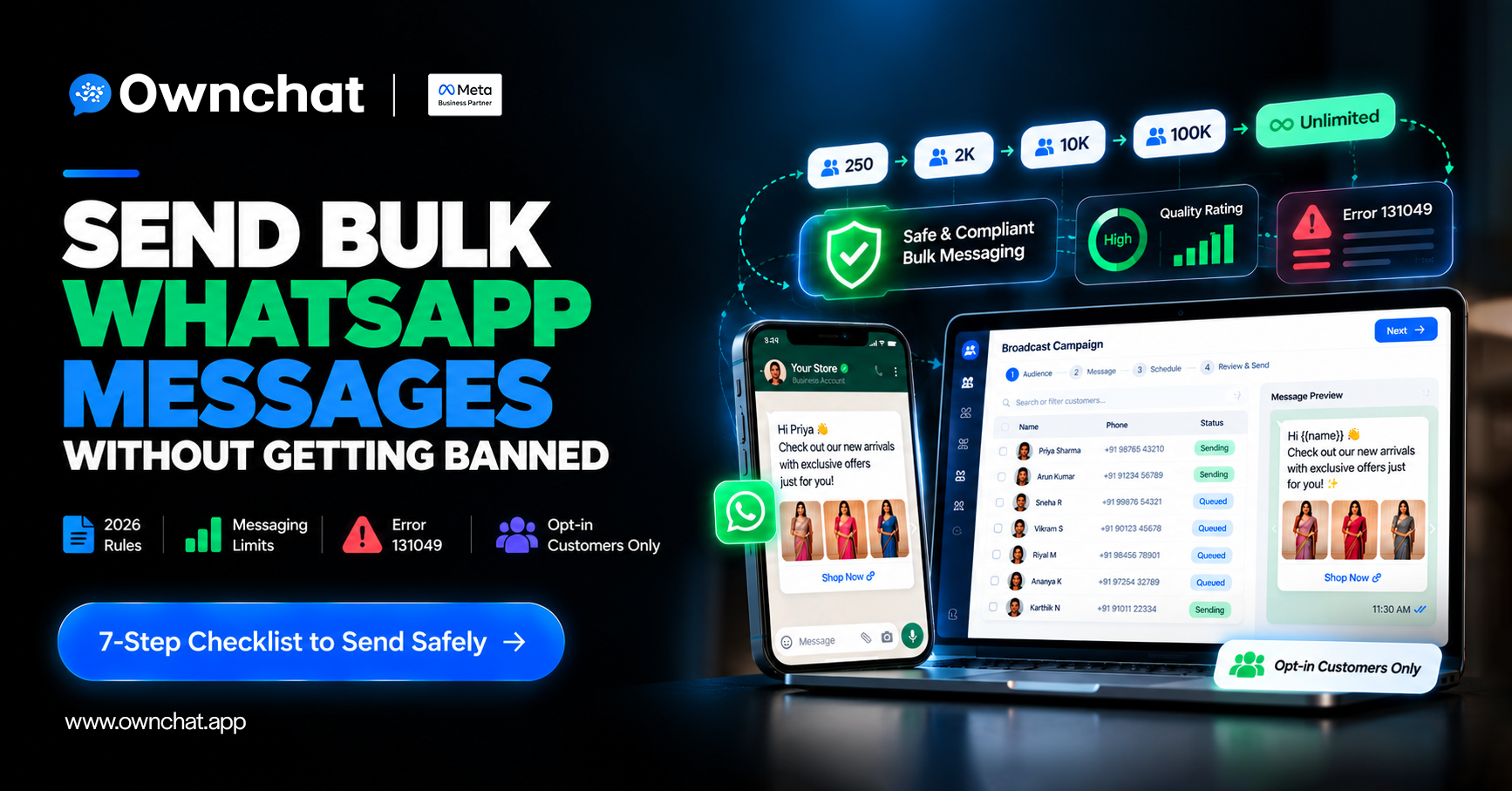
- Messaging limits (250 → 2K → 10K → 100K → unlimited unique customers per 24 hours) are set at the business-portfolio level, shared by every number in it.
- Quality rating is driven by how recipients react — relevance is your best protection.
- Error 131049 means Meta held back a marketing message to protect that user's experience; wait at least 24 hours before resending.
In this guide
- Why do WhatsApp numbers get banned or restricted?
- What are WhatsApp messaging limits in 2026?
- What is the WhatsApp quality rating?
- What is WhatsApp error 131049?
- How do you send bulk messages safely? (7 steps)
- What should you never do?
- FAQs
Why do WhatsApp numbers get banned or restricted?
| The most common causes are: | |
| Cause | What happens |
| Using unofficial bulk-sender software or modified WhatsApp apps | Violates WhatsApp's terms; the number can be banned permanently |
| Messaging people who never opted in | High block/report rates; quality drops |
| Sending the same generic offer to everyone | Low engagement and more blocks |
| Sending too often | Users mute, block or report |
| Sudden spikes from a new number | Hits messaging limits; low trust |
On the official Business Platform, poor behaviour usually leads to a lower quality rating and a lower messaging limit first, and repeated policy violations can lead to restrictions.
What are WhatsApp messaging limits in 2026?
A messaging limit is the maximum number of unique customers you can message in a moving 24-hour period, counting messages sent outside a customer-service window (for example, marketing templates). Messages inside an open customer-service window don't count.
| Level | Unique customers per 24 hours |
| Starting limit (new portfolio) | 250 |
| Next level | 2,000 |
| Next level | 10,000 |
| Next level | 100,000 |
| Top level | Unlimited |
| Key rules (per Meta's messaging limits documentation): |
- Limits are set at the business-portfolio level and shared by all phone numbers in that portfolio, not per number.
- Getting from 250 to 2,000 follows a "scaling path" — for example, business verification, or delivering 2,000 messages in a 30-day period using templates with a high quality rating.
- Beyond 2,000, upgrades are automatic: if you send high-quality messages and use at least half of your current limit within 7 days, Meta raises you one level, within about 6 hours.
Practical tip: if you have 18,000 customers and your limit is 2,000 a day, a single send takes at least 9 days. Plan a staged send over several days, starting in the weeks before the festival so you're at a higher level when it matters.
What is the WhatsApp quality rating?
A rating shown in WhatsApp Manager (commonly high, medium or low) based on recent recipient feedback — blocks, reports and reasons given. Low quality can hold back limit upgrades and, if it continues, can reduce your limit.
How to keep it high: message opted-in customers only, personalise by segment, make opting out easy, and slow down when you see blocks rising.
What is WhatsApp error 131049?
Meta describes error 131049 as: "This message was not delivered to maintain healthy ecosystem engagement." It relates to Meta's per-user marketing template limits: Meta may choose not to deliver a marketing template to a particular person, typically because they have received many marketing messages recently (from any businesses). Meta doesn't publish an exact number. See Meta's error codes documentation.
What to do:
- Don't retry immediately — Meta advises waiting at least 24 hours before resending, and resending sooner will only return the same error. Ideally, change the message.
- Prioritise your most engaged customers for festival sends.
- Use utility templates only for genuine transactional updates — never disguise marketing as utility.
- Invite customers to message you (for example via QR codes or ads), which opens a free service window.
How do you send bulk WhatsApp messages safely?
- Use the official platform. Connect your number to the WhatsApp Business Platform through a Meta Business Partner. (Compare options in WhatsApp Business app vs API.)
- Verify your business in Meta Business Manager to build trust and support limit upgrades.
- Collect clear opt-in at billing, on receipts and through ads, and record it.
- Clean and segment your list by recency, spend and category — see how to bring back old customers.
- Write relevant, approved templates with a name, one image and one clear action, plus an opt-out.
- Warm up gradually. Start with your most engaged customers, then expand as your limit grows.
- Monitor and pause. Watch quality rating, block rate, and error codes like 131049; stop and adjust if they worsen.
What should you never do?
- Use "WhatsApp bulk sender" software, Chrome extensions or modified apps.
- Buy or scrape phone number lists.
- Rotate many SIM cards to get around limits.
- Label promotional messages as utility.
- Keep re-sending to people who don't respond.
How Ownchat helps
OwnChat sends campaigns only on the official WhatsApp Business Platform, schedules staged sends to grow your limit before festivals, segments customers from POS data, and flags quality and delivery issues such as error 131049 in campaign reports. It's used by 300+ businesses and has delivered 1M+ messages.
Next: plan your festive sends with Diwali marketing ideas for clothing stores, track results with how to measure WhatsApp marketing ROI, or get a free 15-minute audit of your WhatsApp setup and limits.
Frequently asked questions
1.Can I send WhatsApp messages to 10,000 people at once?
Yes, on the WhatsApp Business Platform once your portfolio has reached the 10,000 (or higher) messaging limit and your customers have opted in.
2.Why is my WhatsApp number banned for bulk messaging?
Usually because of unofficial bulk tools, messaging people without consent, or many blocks and reports. Official-platform numbers are usually rate-limited before they are restricted.
3.How long does it take to increase my WhatsApp messaging limit?
Beyond 2,000, Meta raises your limit within about 6 hours once you've used at least half of it in the last 7 days with high-quality messages. Getting to 2,000 depends on a scaling path such as business verification, so plan a few days to weeks before a big campaign.
4.What is the WhatsApp broadcast limit on the Business app?
The app's broadcast lists are small and only reach people who saved your number. For larger audiences, use the Business Platform.
5.What does error 131049 mean?
Meta withheld a marketing message to a specific user to maintain healthy ecosystem engagement, often because they recently received many marketing messages. Wait at least 24 hours and try again with a relevant message.
6. Does the messaging limit count replies?
Messages sent inside an open customer-service window — such as replies to customers who message you first — don't count toward the limit. It applies to messages sent outside those windows, like marketing templates.
7.Is sending bulk WhatsApp messages legal in India? WhatsApp allows it through the official platform to customers who opted in, following WhatsApp's policies. Unsolicited messaging breaks WhatsApp's rules. This is general information, not legal advice.
Sources