WhatsApp green tick: how to verify your WhatsApp Business account
The old green tick is now Meta's Official Business Account badge, shown as a blue checkmark. Here is who qualifies, how to apply and what to do if you are refused.

Trusted by 300+ Fast-Growing Businesses Across India, Singapore & UAE

How to Get Verified on WhatsApp in 4 Steps
We assist every Ownchat customer with Official Business Account (OBA) submission at zero extra cost.
Meta Business Verification
Upload legal business registration (trade license, GST/ACRA certificate) into Meta Business Manager.
WhatsApp Cloud API Activation
Connect your dedicated phone number to Ownchat using Meta Embedded Signup in 5 minutes.
Display Name Approval
Ensure your WhatsApp display name strictly matches your trade registration and branding guidelines.
Official Badge Application
After 30 days of active compliant messaging, submit the OBA request directly from WhatsApp Manager.
Everything Your Business Needs on WhatsApp
Switch between core capabilities to explore how Ownchat transforms customer communication.
Shared Team Inbox
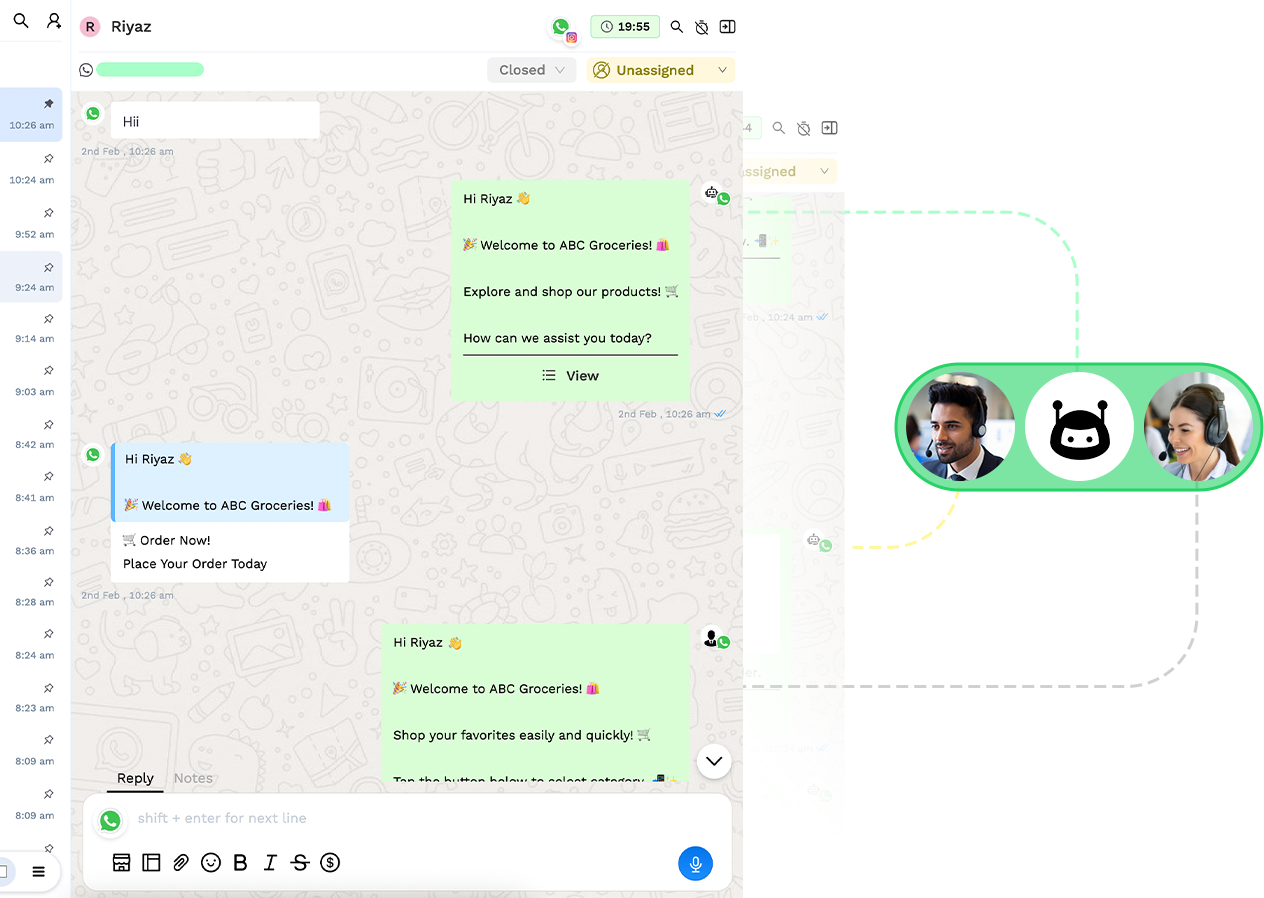
Run multiple agents on one official WhatsApp number. Assign incoming chats to agents, leave private team notes, and track SLAs in real time.
The WhatsApp green tick is now called an Official Business Account and appears as a blue checkmark next to a business name. It is free and available only on the WhatsApp Business API. You need a verified Meta business, two-step verification, an approved display name and 30+ days on the platform, then apply through WhatsApp Manager.
At a Glance
- Current name
- Official Business Account (OBA)
- Badge colour
- Blue checkmark
- Meta fee
- None listed
- Minimum time on platform
- 30 days
- Wait after rejection
- 30 days
- Coexistence numbers
- Not eligible
What is the WhatsApp green tick?
"Green tick" is the name most people still use for WhatsApp's verified badge for businesses. Meta now calls it an Official Business Account (OBA), and the badge is shown as a blue checkmark next to the business name in chats, the contact list and the business profile.
The badge tells customers that WhatsApp has confirmed the account belongs to an authentic, notable brand. That helps when customers receive order updates, reminders or one-time passwords from a number they have not saved.
The badge is only for numbers on the WhatsApp Business Platform (the API). It is not available on the regular WhatsApp Business app, and you cannot buy it.
Official Meta Cloud API Verified · Ownchat Production Workspace
Who is eligible for a verified WhatsApp Business account?
Meta lists these requirements for an Official Business Account. Meeting them makes you eligible to apply. It does not guarantee approval.
Business Verification is complete
for your Meta business portfolio (Meta Business Manager).
Two-step verification is turned
on for the phone number.
The display name has
been approved by Meta.
The phone number has
been on the WhatsApp Business Platform for at least 30 days.
The business follows WhatsApp's
Business and Commerce messaging policies.
The number is not
connected in Coexistence mode (shared with the WhatsApp Business app).
Official Meta Cloud API Verified · Ownchat Production Workspace
See How Your Customers Experience Ownchat on WhatsApp
Select a workflow mode below to preview the instant live messaging experience.
Hi, I saw your commercial listing. Are viewings available this week?
10:42 AM · ✓✓Hello! Yes, private viewing slots are open for Thursday and Saturday. Here is the digital brochure & floorplan:
How do you get the green tick on WhatsApp? Step by step
Follow these steps in order. Most of the waiting happens in steps 1 and 3, so start Business Verification early.
1. Verify your business
with Meta. In Meta Business Manager, open Business settings and submit your legal business name, address and a document such as a trade licence or registration certificate. Use the same name everywhere.
2. Get the WhatsApp
Business API on a dedicated number. Sign up through a Meta Business Partner such as Ownchat, or directly with Meta. The number cannot be active on the regular WhatsApp app at the same time unless you use Coexistence, and coexistence numbers cannot get the badge.
3. Get your display
name approved. The name should match your brand and your verified business details. Meta reviews it before you can send messages at scale.
4. Turn on two-step
verification. Set a six-digit PIN for the number in WhatsApp Manager or through the API.
5. Use the number
for at least 30 days. Send real, policy-compliant messages and keep your quality rating healthy.
6. Prepare evidence of
notability. Partners report that approval usually needs organic press coverage of the brand. Meta's own page does not list this, but links to independent news articles help your case. Paid or promotional content usually does not count.
7. Submit the request.
In WhatsApp Manager, open the phone number's settings and request an Official Business Account, or submit it through the API. Add your links and a short explanation of your brand.
8. Wait for the
decision. If you are refused, improve your evidence and wait 30 days before applying again.
Official Meta Cloud API Verified · Ownchat Production Workspace
The Old Manual Way vs The Ownchat Way
Why fast-growing companies replace personal phones and legacy tools with Ownchat.
- ✕1 phone, 1 agent: lost messages when staff are off or leave the company.
- ✕Constant risk of permanent number bans from unapproved bulk tools.
- ✕$99+/month pricing markups with paid setup fees from legacy vendors.
- ✕Manual copy-pasting of leads into spreadsheets and CRM systems.
- ✓Multi-Agent Inbox: All agents on one verified +65 / +971 company number.
- ✓Zero Ban Risk: Direct official WhatsApp Cloud API with Meta approval.
- ✓From $12/month: Transparent pricing, $0 hosting markup, no hidden fees.
- ✓Built-in CRM & Sync: Instant two-way sync with Zoho CRM, Shopify and Sheets.
How much does the WhatsApp green tick cost?
Meta lists no fee for an Official Business Account. The badge itself is free. Your costs come from the WhatsApp Business API: the provider's subscription and the per-message fees for the messages you send. Since July 2025, Meta charges per delivered message.
Be careful with agencies that charge a fee to "guarantee" the badge. Only Meta decides, and no partner can promise approval.
Official Meta Cloud API Verified · Ownchat Production Workspace
What is the difference between the green tick and Meta Verified?
Both put a checkmark on a business, which causes confusion. They are different products.
Official Meta Cloud API Verified · Ownchat Production Workspace
Official Business Account (green tick) | Meta Verified for business | |
|---|---|---|
| Works with | WhatsApp Business API | WhatsApp Business app |
| Cost | No fee listed by Meta | Paid monthly subscription |
| How you get it | Apply and meet Meta's criteria, including notability | Subscribe and pass verification |
| Where launched | Available on the API generally | Launched first in Brazil, India, Indonesia and Colombia |
| Coexistence numbers | Not eligible | Not applicable |
Why are green tick applications rejected?
Meta does not always give a detailed reason. These are the common causes partners see.
The number has been
on the platform for less than 30 days, or two-step verification is off.
Business Verification is incomplete,
or the legal name does not match the display name.
Not enough independent press
coverage to show the brand is notable.
Links submitted are paid
articles, press releases or the business's own pages.
Policy problems or a
low quality rating on the number.
The number is in
Coexistence mode.
Official Meta Cloud API Verified · Ownchat Production Workspace
What should you do if WhatsApp rejects your request?
Wait 30 days before reapplying. Use the time to fix what you can control: complete Business Verification, align your display name with your legal name, keep message quality high and collect genuine coverage in news or industry publications.
You do not need the badge to use the WhatsApp Business API. Your approved display name, profile photo, description and website still tell customers who you are, and most features work the same. A few partner features need it. For example, Ownchat's WhatsApp Group tools are enabled only for verified (blue tick) accounts.
Official Meta Cloud API Verified · Ownchat Production Workspace
How does Ownchat help with WhatsApp business verification?
Ownchat is a WhatsApp Business API platform made by Ieyal Solutions, an official Meta Business Partner based in Thiruvarur, Tamil Nadu, India, and used by 300+ businesses in India, Singapore and the UAE. Green tick assistance is included on every paid plan. The team handles the application process for free once your business is verified on Meta.
Ownchat's pricing page states that Meta's review typically takes 2–5 business days after submission. Approval is always Meta's decision.
Onboarding your number to
the official WhatsApp Business API
Checking your Business Verification,
display name and two-step verification before you apply
Preparing and submitting the
Official Business Account request
Support Monday to Friday, 9am–6pm IST (11
30am–8:30pm SGT, 7:30am–4:30pm GST), at sales@ownchat.app or +91 72006 72700
A 14-day free trial
with no credit card; plans from $12 per month, billed annually
Official Meta Cloud API Verified · Ownchat Production Workspace
Calculate Your Monthly Business Time & Cost Savings
See how much manual agent time and software budget Ownchat saves your team each month.
Ownchat's 24/7 AI Chatbot instantly resolves 65% of FAQ queries, qualifying high-value leads before handing off to live agents.
Certified Security, Reliability & Compliance
Built for UAE TDRA guidelines and strict Meta Cloud security standards.
Official Meta Partner
Direct integration to the official WhatsApp Cloud API with zero third-party proxy latency or ban risk.
End-to-End Encryption
All customer conversations and message templates are transmitted securely via Meta’s ISO 27001 data centers.
TDRA & Opt-In Ready
Automated STOP keyword opt-out handling and consent tracking aligned with regional telecom regulations.
99.9% Uptime SLA
High-availability redundant architecture backed by 24/7 real-time monitoring and SLA status reports.
Seamless Native Connections
Works with the Tools You Already Use
 Shopify
 Zoho CRM
 Google Sheets
 Stripe
 Razorpay
 WooCommerce
 Petpooja
Frequently Asked Questions
Everything you need to know about pricing, compliance, Meta requirements and setup.
Is the WhatsApp green tick still green?
No. Meta renamed the badge Official Business Account and now shows it as a blue checkmark. Most people still search for it as the green tick.
Is the WhatsApp green tick free?
Yes. Meta lists no fee for an Official Business Account. You pay only for your WhatsApp Business API provider and the messages you send.
Can I get the green tick on the WhatsApp Business app?
No. The Official Business Account badge is only for numbers on the WhatsApp Business API. The paid Meta Verified subscription is a separate product for the Business app, and it is not offered in every country.
How long does WhatsApp green tick verification take?
Your number must be on the platform for at least 30 days before you apply. After you submit, Ownchat's pricing page states that Meta's review typically takes 2–5 business days.
How long must I wait after a rejection?
Meta asks you to wait 30 days before submitting a new request. Use that time to strengthen your Business Verification and press coverage.
Can a Coexistence number get the green tick?
No. Meta does not support Official Business Accounts on numbers connected in Coexistence mode, where the same number runs on the WhatsApp Business app and the API. Use a dedicated API number if the badge matters to you.
Do I need press coverage to get verified?
Meta's documentation does not list it, but partners report that approval usually depends on the brand being notable, shown through independent news coverage. Paid or promotional articles usually do not help.
Does Ownchat guarantee the green tick?
No. Only Meta approves Official Business Accounts. Ownchat, as a Meta Business Partner, prepares and submits the application for free on paid plans and helps you meet the eligibility requirements.
Try Ownchat free for 14 days
Get instant access to shared team inbox, chatbot builder, automated campaigns, and WhatsApp CRM. No credit card required.