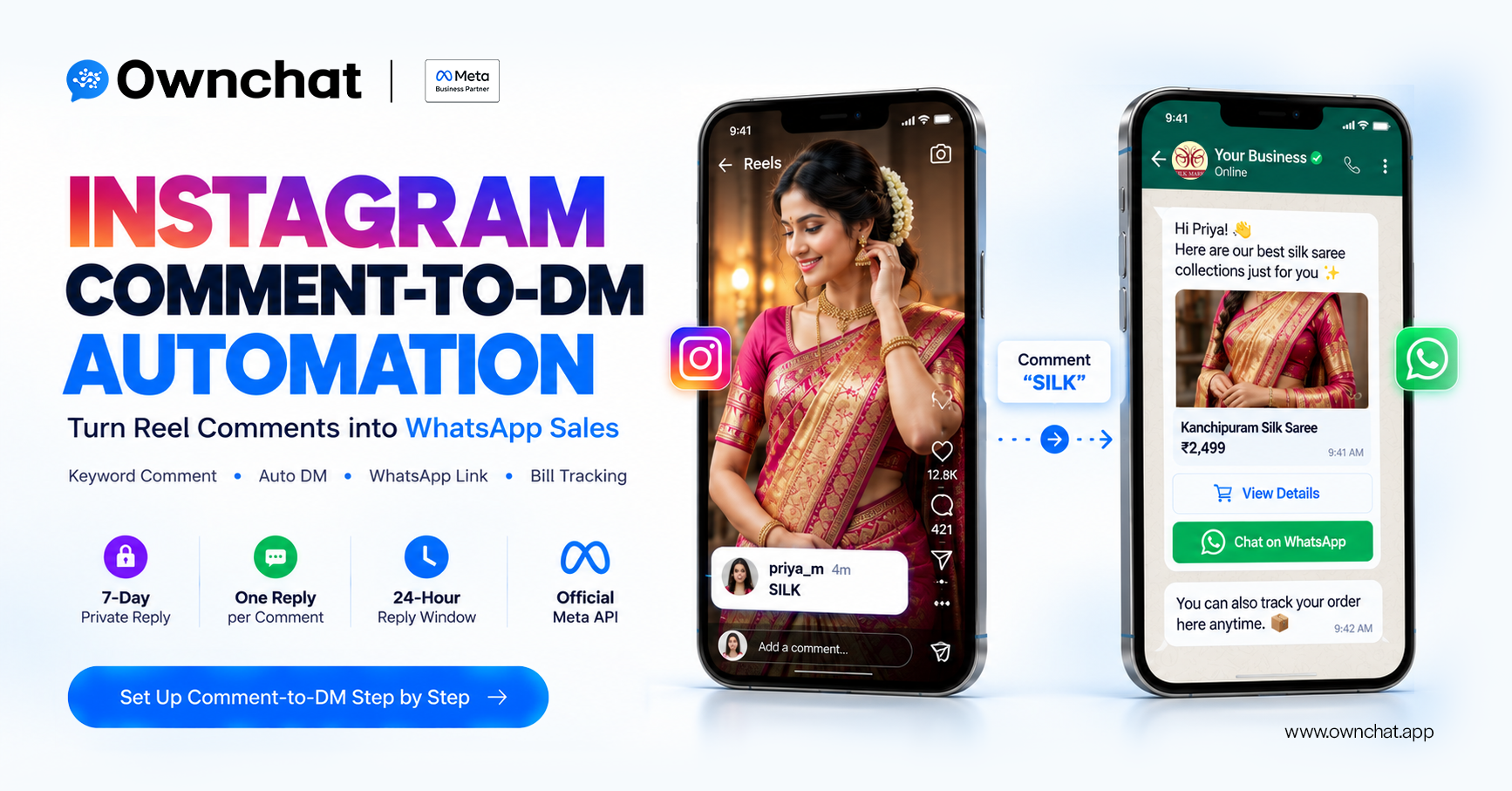
Quick answer: Comment-to-DM automation sends an Instagram direct message automatically when someone comments a keyword (like "SAREE") on your post or Reel. Using Meta's official API, you can send one private reply per comment within 7 days; once the person replies, a 24-hour messaging window opens. Use that DM to share prices and a WhatsApp link to close the sale.
Key takeaways
- Keyword comments ("Comment PRICE") also boost your Reel's engagement.
- Official rule: one private reply per comment, within 7 days of the comment.
- A reply from the shopper opens a 24-hour window for further DMs.
- Moving the conversation to WhatsApp makes follow-up and store visits easier to track.
In this guide
- What is Instagram comment-to-DM automation?
- What are Instagram's rules for automated DMs?
- How do you set it up? (6 steps)
- What should the DM say?
- Why move shoppers to WhatsApp?
- FAQs
What is Instagram comment-to-DM automation?
You post a Reel — say, "10 Deepavali silk sarees under ₹5,000" — with the caption "Comment SILK for prices". Every time someone comments SILK, an automated DM arrives with the price list, photos, and a button to continue on WhatsApp or visit the store.
It solves a real problem for clothing stores: dozens of "price?" comments that staff can't answer fast enough during the festive rush.
What are Instagram's rules for automated DMs?
Official automation uses Meta's Instagram messaging API (through an approved tool). The key rules:
| Rule | What it means |
| Private reply within 7 days | You can send a DM in response to a comment only within 7 days of that comment |
| One private reply per comment | Each comment can trigger just one private reply |
| 24-hour window after they reply | Once the person messages you, you have 24 hours to respond |
| Professional account required | Instagram Business or Creator (professional) account |
| No spam | Unrelated or repeated messages can lead to restrictions |
Meta's Instagram messaging documentation confirms the 24-hour response window and that messaging runs through an Instagram professional account — see Meta's Instagram messaging API documentation.
Avoid unofficial "auto-DM" apps that ask for your Instagram password — they risk your account.
⚠️ Verification note: the "7 days" and "one private reply per comment" rules have not yet been confirmed on an Instagram-specific Meta page (Meta's Messenger Platform policy states a 7-day window for Messenger private replies). Before publishing, check Meta's Instagram "Private Replies" documentation and add its link to Sources.
How do you set up Instagram comment-to-DM automation?
- Switch to a Professional account (Business or Creator) on Instagram.
- Connect an official tool (a Meta Business Partner platform) to your Instagram account.
- Choose a keyword that's short and specific: SILK, PRICE, KIDS, SLOT.
- Write the DM (below) with one clear next step — a WhatsApp link or quick-reply buttons.
- Add a public comment reply such as "Sent you a DM 💌" so others see it works.
- Test, then publish the Reel with "Comment SILK" in both the video text and caption.
What should the automated DM say?
DM 1 — sent automatically on comment
Hi! Thanks for your interest in our Deepavali silk collection ✨ Prices start at ₹3,499. Tap below to see all 10 designs on WhatsApp and check colours in stock. [See on WhatsApp] [Store location]
DM 2 — if they reply "yes" or tap a button (inside 24h)
Great! Here's the full catalogue. Want us to hold a saree for you to try this weekend? Reply with the design number.
Keep it short, answer the question they asked (usually price), and give one action.
Why move Instagram leads to WhatsApp?
- Customers already use WhatsApp daily, so replies are faster.
- You can follow up later with approved templates after the 24-hour window closes (with opt-in).
- You can connect the chat to billing, so you see which Reels produced sales.
- Staff can share catalogues, voice notes and store location in one thread.
Pair this with click-to-WhatsApp ads to scale the Reels that work. For message rules on WhatsApp, read how to send bulk WhatsApp messages without getting blocked.
How Ownchat helps
OwnChat links Instagram and WhatsApp in one inbox: keyword comments trigger an official private reply, shoppers move to WhatsApp with a source tag (e.g. "IG-SILK-REEL"), and bills are matched back so you can see which posts drove sales.
Related: Diwali marketing ideas for clothing stores · WhatsApp marketing for textile shops · Get the free Deepavali playbook
Frequently asked questions
Is Instagram comment-to-DM automation allowed?
Yes, when you use Meta's official API through an approved tool and follow its messaging rules.
How long after a comment can I send a DM?
Within 7 days of the comment, and only one private reply per comment.
Can I send more messages after the first DM?
Yes, once the person replies you have a 24-hour window to continue the conversation.
Do I need a business account?
Yes. You need an Instagram Professional (Business or Creator) account.
Which keywords work best for clothing stores?
Short, specific words tied to the post: SILK, PRICE, KIDS, BRIDAL, SLOT.
Can I send Instagram leads to WhatsApp?
Yes. Include a WhatsApp link or button in the DM; when the customer messages you on WhatsApp, a free service window opens for your replies.
Sources


