Quick answer: When a webhook fails, the problem is in one of four places: the event never fired, the request never reached your server, your server rejected it (an error code), or it arrived but the data was wrong. Check them in that order: the event and subscription, the delivery log, the HTTP response code, then the payload. Most failures are a wrong URL, an expired token or a mismatched field name.
"The order was placed. Why didn't the WhatsApp confirmation go out?"
If you connect Ownchat to your store, CRM or billing software, this question usually has one answer: a webhook didn't arrive, or arrived and failed.
This guide is for the person who set up the integration, your developer or IT partner. If you're the business owner, send them this link. If you're the developer, here's a checklist to find the break in minutes.
How a Webhook Works (30-Second Version)
A webhook is one app telling another, "This just happened."
- An event happens in the source app, like a new order or a payment.
- The source app sends an HTTP request (usually POST, with JSON) to the URL you configured.
- Your server checks the request, processes it and replies with a status code.
- 2xx means success. Anything else means the source app treats it as failed.
If any step breaks, the action on the other side (a WhatsApp message, a CRM update) never happens.
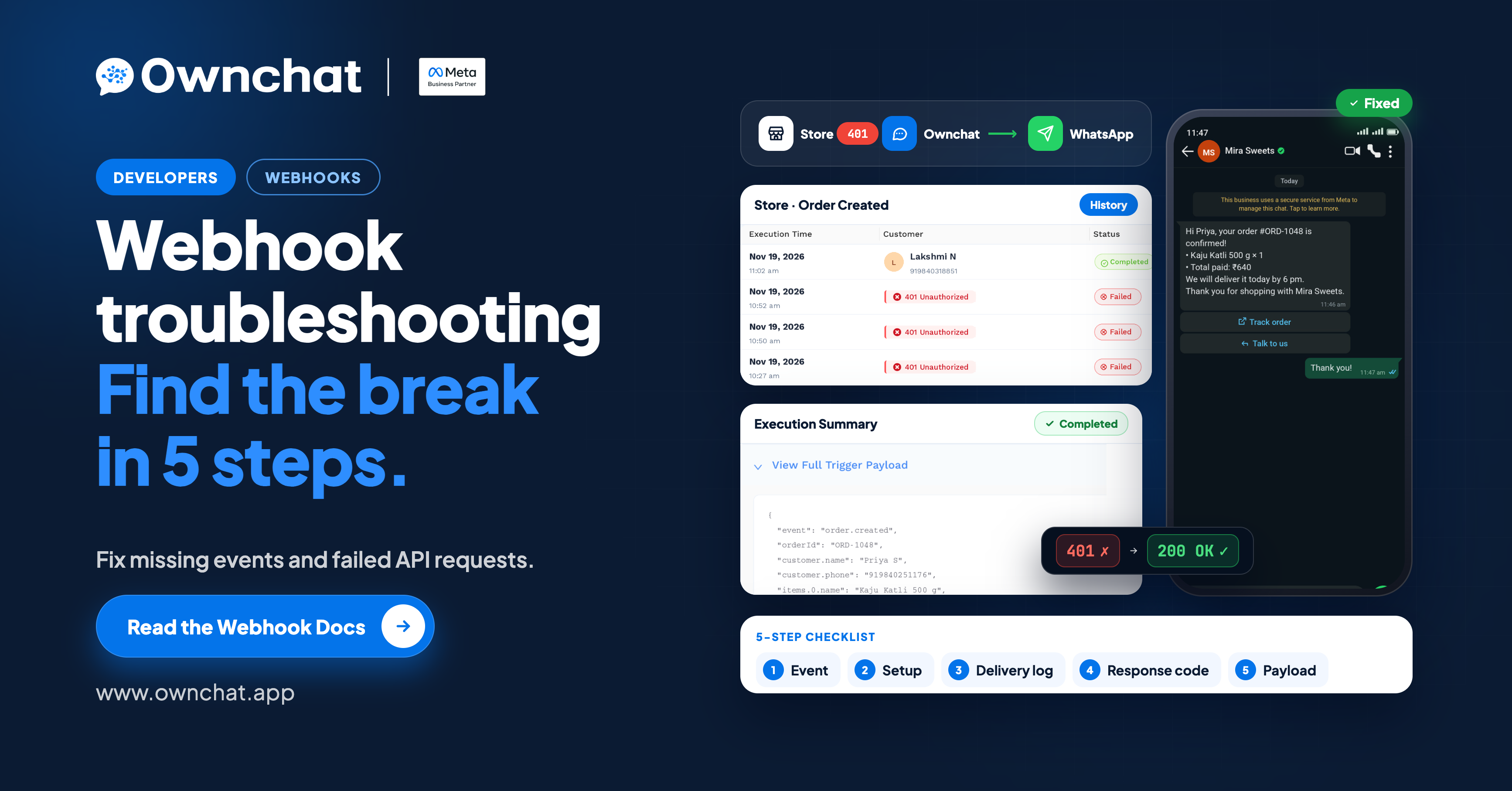
The 5-Step Checklist
Work through these in order. Stop when you find the break.
☐ 1. Did the event actually happen?
An event that never fired can't send a webhook. Check the source app: was the order really created, the payment really captured?
☐ 2. Is the webhook set up for this event?
- The URL is correct, uses HTTPS and is publicly reachable (not localhost or behind a VPN).
- The subscription is active.
- The right event type is selected. "Order created" and "order paid" are different events.
☐ 3. Was a request sent, and what came back?
Open the delivery log in the source app. Look at the timestamp, the response code and the error message.
- No entry: the problem is in steps 1–2.
- An entry with an error code: go to step 4.
- An entry with 200 but nothing happened: go to step 5.
☐ 4. What does the response code say?
| Code | What it means | Usual fix |
|---|---|---|
| 400 Bad Request | The data is invalid or incomplete | Compare the payload with what the endpoint expects |
| 401 Unauthorized | Token or API key missing or wrong | Check the key, and whether it has expired |
| 403 Forbidden | Key is valid but lacks permission | Enable the required permission or scope |
| 404 Not Found | The URL doesn't exist | Fix the URL (look for typos and a missing path) |
| 405 Method Not Allowed | Wrong HTTP method | The endpoint expects POST but got GET, or the reverse |
| 429 Too Many Requests | Rate limit hit | Slow down, and retry after the time the server gives |
| 500 Server Error | Your server crashed while processing | Check your server logs for the exception |
| Timeout | Your server took too long | Reply 200 first, then do slow work in the background |
☐ 5. Did the data arrive the way you expected?
A 200 response with no result usually means the payload didn't match. Check:
- Required fields are present, like the order ID and the customer's phone number
- Field names match exactly:
phoneis notphone_number - Data types match: a number, not a string with a ₹ sign
- Phone numbers include the country code (for WhatsApp,
919876543210, not09876543210) - The JSON is valid
A sample order payload:
json
json{ "event": "order.created", "data": { "order_id": "ORD-1001", "customer_name": "Priya", "phone": "919876543210", "total_amount": 1500, "status": "created" } }
Example only. Use the exact structure your source app documents.
Test the Endpoint Yourself
Send a sample request with curl or any API tool, and see what your endpoint replies:
bash
bashcurl -X POST https://your-server.com/webhook \ -H "Content-Type: application/json" \ -d '{"event":"order.created","order_id":"ORD-1001","status":"created"}'
Replace the URL and payload with your real endpoint and structure. If this fails, the problem is on your server, not in the source app.
In Ownchat
Ownchat's Webhook integration sends real-time information from one app to another when an event happens, like a new order or a form submission. You'll find it under Apps → Others.
Before you connect it, keep ready:
- A valid webhook URL (the endpoint that will receive the data)
- Authentication details, if your endpoint needs them
See the Ownchat webhook integration docs for the setup.
If a workflow started but didn't finish, our chatbot troubleshooting guide explains workflow statuses like Processing, Completed and Failed.
6 Habits That Prevent Most Failures
- Use HTTPS endpoints only.
- Verify signatures when the provider sends them, so nobody can fake a request.
- Reply fast. Acknowledge with 200, then process in the background.
- Handle repeats. Use the event ID so the same event processed twice doesn't send two WhatsApp messages.
- Retry only temporary errors (429, 500, timeouts), with growing delays. Don't retry 400 or 401; fix them.
- Log the right things: event ID, time, URL, response code and error. Never log API keys or full customer data.
Good to Know
- Never share API keys or tokens in screenshots, chats or public docs. If one leaks, rotate it.
- Test before going live. Send a test event and watch it reach the other side.
- Most failures are simple: a wrong URL, an expired token, or a field name that changed after an update.
Frequently Asked Questions
Why is my webhook not being received?
Usually the URL is wrong, the subscription is inactive, the wrong event type is selected, or the event never happened. Check the delivery log first.
What does a 401 error mean on a webhook?
The API key or token is missing, wrong or expired. Check it in the source app and update it.
My webhook returns 200 but nothing happens. Why?
The request arrived, but the data didn't match what your app expects. Compare field names, data types and required fields with the expected payload.
How do I stop duplicate messages from repeated webhooks?
Store each event's unique ID and skip any event you've already processed.
Should I retry a failed webhook?
Retry temporary errors like 429, 500 and timeouts, with a delay. Don't retry 400 or 401 errors; fix the data or the credentials first.
Do I need a developer to fix webhook issues?
For checking the URL, the event and the delivery log, often not. For payload, signature and server errors, yes.
Set Up Your Ownchat Webhook
Everything you need to connect your apps to Ownchat is in the docs.
👉 Read the Ownchat Webhook Docs →
Need help with your setup? Book a Free Demo and our team will walk through it with you.