Customers expect quick replies, accurate information and help without having to repeat themselves.
For businesses, handling every WhatsApp conversation manually takes time. Teams spend their day answering the same questions, collecting customer details, qualifying leads and passing conversations between departments.
What if your WhatsApp conversations could understand what the customer wants, follow your instructions, use your business knowledge and complete tasks on their own?
That's what the Ownchat AI Agent is built for. You give it a Prompt, a Knowledge Base and a set of Actions, and it handles routine WhatsApp conversations while your team steps in when a person is needed.
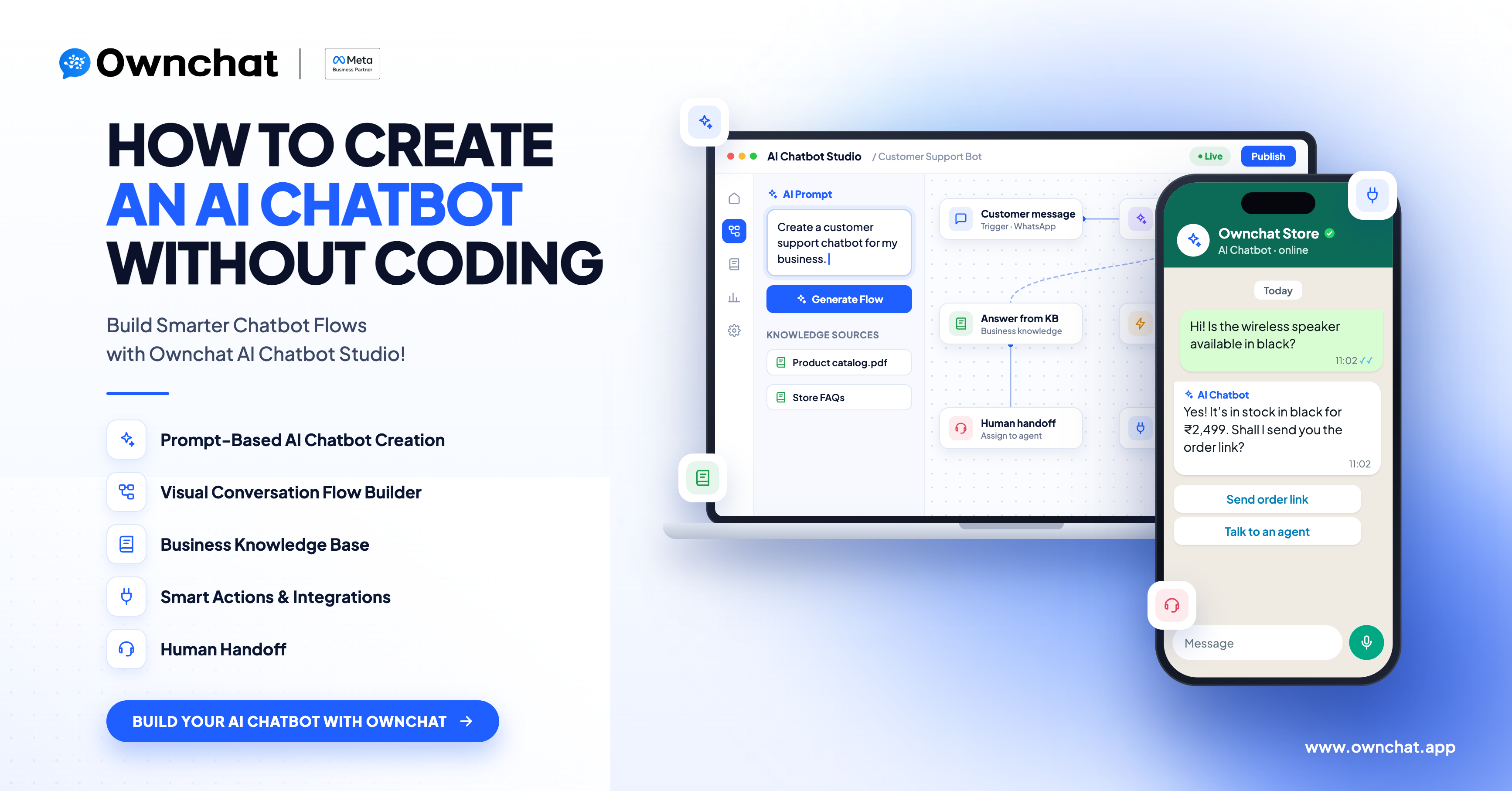
Looking to build a full chatbot flow with buttons, conditions and integrations? Read our guide on how to create an AI chatbot without coding. This article focuses only on the AI Agent for WhatsApp conversations.
What Is a WhatsApp AI Agent?
A WhatsApp AI Agent is an AI-powered assistant that reads customer messages on WhatsApp and responds according to a defined objective and set of instructions.
A traditional chatbot mostly depends on fixed buttons, keywords and predefined paths. An AI Agent can understand natural messages. For example, a customer might type:
"Hi, I run a clothing store and I'm looking for a WhatsApp automation solution. Can you tell me how it works?"
The customer doesn't need to pick an option from a menu. The AI Agent understands the requirement and continues the conversation based on its instructions.
Chatbot vs AI Agent
| Traditional Chatbot | AI Agent |
|---|---|
| Follows predefined flows | Follows instructions written in a Prompt |
| Depends on buttons and fixed options | Understands natural customer messages |
| Responses are tied to set paths | Responds using instructions and business knowledge |
| Best for structured conversations | Best for flexible conversations |
| Actions are tied to specific flow steps | Uses actions based on its objective |
Both have their place. If you need a fixed, button-led journey, a no-code WhatsApp chatbot is often the better fit. If customers ask questions in their own words, an AI Agent handles them more naturally.
What Is the Ownchat AI Agent?
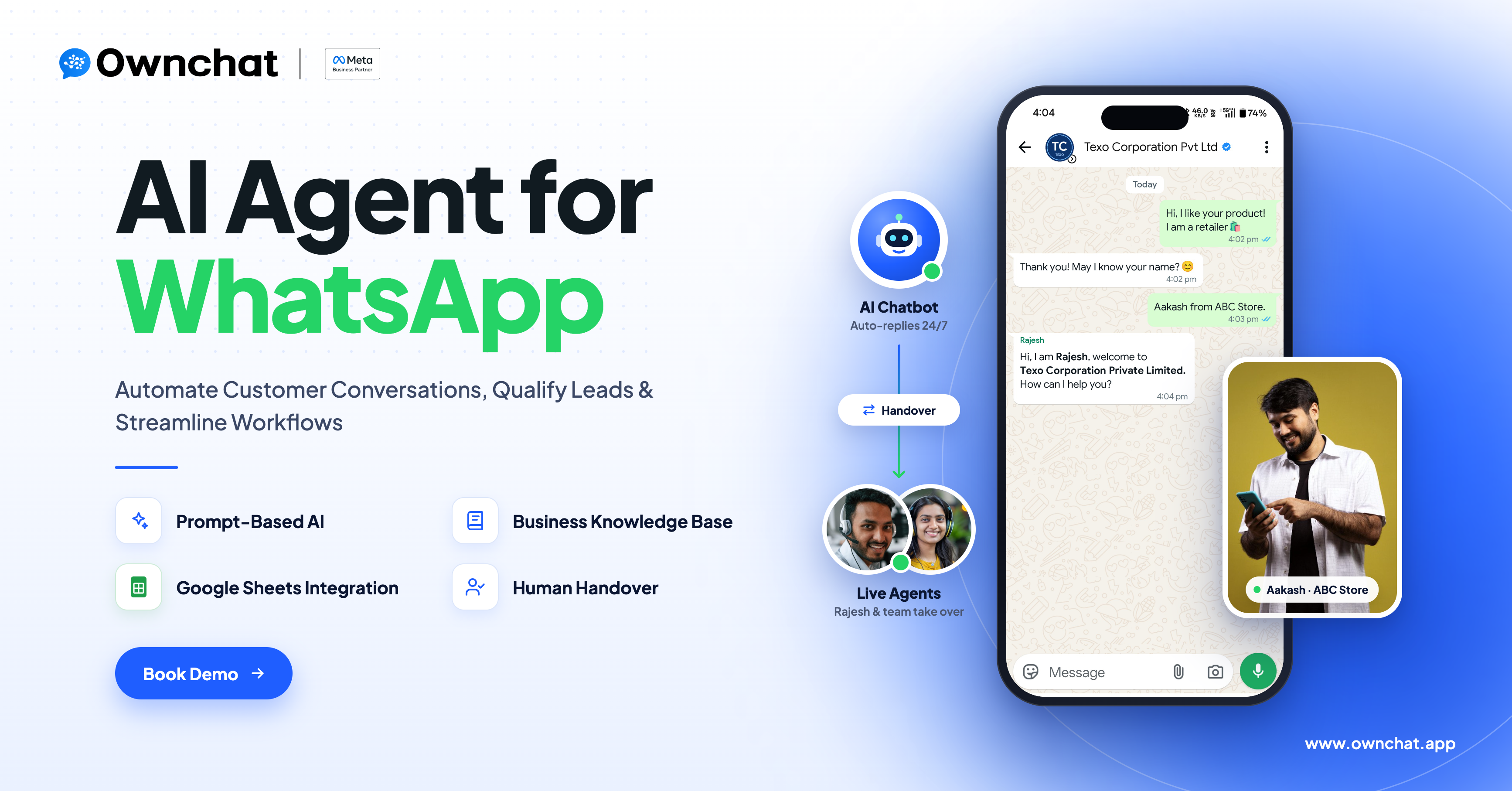
The Ownchat AI Agent combines AI with your business instructions and information. On WhatsApp, it can:
- Understand customer requirements
- Answer questions from your Knowledge Base
- Collect customer information
- Qualify leads
- Save or read data in Google Sheets
- Assign conversations to team members
- Close conversations once the objective is complete
It's built from three parts:
| Component | What it does |
|---|---|
| Prompt | Defines how the AI Agent behaves and what it should achieve |
| Knowledge Base | Provides the business information it uses to answer questions |
| Actions | Lets it complete tasks such as saving data or assigning a conversation |
The Prompt Is the Foundation
The Prompt is the most important part of the setup. It can define:
- The AI Agent's role and objective
- How it should communicate
- What information to collect and which questions to ask
- When to use the Knowledge Base
- When to assign or close a conversation
- Any other rules for your business
The Prompt should be written for one specific business objective, not as a generic instruction.
How the Ownchat AI Agent Works
A typical WhatsApp AI Agent conversation follows this flow:
- Customer sends a message on WhatsApp in their own words.
- The AI Agent follows the Prompt to understand the request.
- It checks the Knowledge Base when the question is about your business.
- It collects the required details from the customer.
- It runs an Action, such as adding the details to a Google Sheet.
- It replies to the customer.
- It assigns the conversation to your team or closes it once the objective is complete.
How to Write the Right Instructions
A good AI Agent starts with a clear objective. For example, a software business might want to qualify leads:
Objective: Qualify customers interested in our software solution.
The Prompt could then tell the AI Agent to:
- Understand the customer's requirement
- Ask for the customer's name
- Ask for the business name
- Identify the industry
- Avoid asking for details the customer has already shared
- Use the Knowledge Base for product questions
- Save qualified details to a Google Sheet
- Assign the conversation to the sales team when needed
This gives the AI Agent a clear purpose instead of a vague instruction like "answer customer questions."
Example Conversation
Customer: Hi, I'm interested in your automation solution.
AI Agent: Sure! I can help with that. May I know your name?
Customer: Suresh.
AI Agent: Thanks, Suresh. What type of business do you run?
Customer: I run a retail store.
AI Agent: Thanks. What would you like to automate?
Customer: Customer communication and follow-ups.
The AI Agent now has what the sales team needs. The next step could be:
Customer details → Sheet Append → Assigned to Sales
If the customer had opened with "I'm Suresh from ABC Retail," the AI Agent should use that information and not ask for the name again.
Knowledge Base: Give Your AI Agent Business Context
The Knowledge Base holds the information your AI Agent uses to answer questions. You can add:
- Products and services
- Features and pricing information
- FAQs
- Policies and processes
- Other approved business information
So when a customer asks, "What services do you provide?", the AI Agent answers from your approved content.
Keep the Knowledge Base Accurate
The quality of AI answers depends on the information you give it. Make sure you:
- Keep information up to date
- Remove outdated content
- Avoid conflicting information
- Organise content clearly
- Include only what's relevant to the AI Agent's objective
AI Agent Actions in Ownchat
Actions connect the conversation to your business processes. You add only the actions your use case needs.
Sheet Append
Adds collected details to a Google Sheet through the Ownchat Google Sheets integration. For example:
| Name | Business | Industry | Requirement |
|---|---|---|---|
| Suresh | ABC Retail | Retail | Customer communication automation |
Your sales team gets structured lead data without manual entry. Details are saved only when the Sheet Append action is set up in the AI Agent.
Sheet Read
Reads information from a Google Sheet when the AI Agent needs it during a conversation, such as details your team maintains in a sheet.
Assign Conversation
Hands the conversation to the right team member in the shared team inbox. The team member sees the full conversation, so the customer doesn't have to repeat anything.
Close Conversation
Closes the conversation once the customer's requirement is complete, keeping your active conversations organised.
AI Agent + Human Team
AI doesn't have to handle every conversation from start to finish. A practical model is:
AI handles routine conversations → AI collects context → Your team takes over when needed
For example:
Customer: I have a custom requirement. Can someone from your team speak with me? AI Agent: Certainly. I'll connect you with our team.
The conversation is assigned to the right person, and your team can focus on conversations that need personal attention.
Use Cases and Benefits
| Use case | How the AI Agent helps | Benefit |
|---|---|---|
| Lead qualification | Collects name, business, industry and requirement before assigning to Sales | Structured leads, less manual work |
| Customer support | Answers common questions from the Knowledge Base | Faster responses |
| Product and service enquiries | Explains products, services or features using approved information | Business-specific answers |
| FAQ automation | Handles frequently repeated questions | Less repetitive work for the team |
| Customer information collection | Gathers details during a natural conversation and saves them to a sheet | Connected workflows |
| Sales handover | Qualifies the enquiry first, then assigns it to the right team member | Smooth human handover |
AI Agent vs Manual WhatsApp Handling
| Manual Handling | With Ownchat AI Agent |
|---|---|
| Team answers every routine question | AI Agent answers routine questions |
| Team asks qualification questions manually | Prompt guides the AI Agent to collect details |
| Customer details are entered by hand | Sheet Append saves details automatically |
| Every enquiry reaches a team member first | AI handles defined conversations before handover |
The goal isn't to automate every interaction. It's to automate the conversations that can be handled reliably and bring in your team when their expertise is needed.
How to Set Up an AI Agent in Ownchat
Step 1: Define the Objective
Decide what the AI Agent needs to achieve. For example: "Qualify WhatsApp enquiries and collect customer details before assigning relevant conversations to Sales."
Step 2: Write the Prompt
Include the AI Agent's role, objective, conversation instructions, information to collect, questions to ask, rules, handover conditions and actions to use.
Step 3: Add the Knowledge Base
Add the business information the AI Agent should use to answer questions.
Step 4: Decide What Information to Collect
List only the details you actually need. Avoid collecting unnecessary information.
Step 5: Add Actions
Add the actions your use case needs: Sheet Append, Sheet Read, Assign Conversation or Close Conversation.
Step 6: Test the AI Agent
Test real-life scenarios, such as:
- Direct questions
- The same question asked in different ways
- Incomplete information
- Several details shared in one message
- Questions outside the AI Agent's objective
- Requests to speak to a person
Step 7: Monitor and Improve
Review conversations after launch. If the AI Agent doesn't handle a scenario well, update the Prompt, the Knowledge Base or the actions.
Best Practices for Building an AI Agent
- Give it one clear objective. A focused Prompt is easier to manage and test.
- Write specific instructions. Replace "Help customers" with exactly what the AI Agent should achieve.
- Keep business information in the Knowledge Base, not scattered across the Prompt.
- Avoid repeated questions. Tell the AI Agent to use details the customer has already shared.
- Define handover conditions. Be clear about when a team member should take over.
- Add only the actions you need.
- Test before launch with realistic conversations, not just one example.
- Keep information updated whenever your products, prices or processes change.
Frequently Asked Questions
What is an AI Agent?
An AI-powered assistant that understands customer messages and follows your instructions to complete a defined conversation objective.
What is the role of the Prompt?
The Prompt defines the AI Agent's role, objective, conversation style, the information it collects and the rules it follows.
What is the role of the Knowledge Base?
It provides the business information the AI Agent uses to answer customer questions.
Can the Ownchat AI Agent work on WhatsApp?
Yes. The Ownchat AI Agent handles customer conversations on WhatsApp, which is the focus of this guide.
Can the AI Agent collect customer information?
Yes. You define in the Prompt which details it should collect.
Can customer information be saved in Google Sheets?
Yes, when you add the Sheet Append action to the AI Agent.
Can a team member take over the conversation?
Yes. The Assign Conversation action hands the conversation to the right team member with the full history.
Is an AI Agent the same as a chatbot?
No. A traditional chatbot follows predefined flows, while an AI Agent follows a Prompt and uses your business knowledge and actions to handle more flexible conversations.
Conclusion
Customer conversations are full of repeated questions, qualification steps, data collection and routing that take up your team's time. The Ownchat AI Agent handles these routine tasks on WhatsApp and brings your team in when a person is needed.
The value comes from how you set it up: a clear Prompt, an accurate Knowledge Base and only the actions your workflow needs. The goal isn't to replace human conversations. It's to let AI handle the routine work so your team can focus on the conversations that matter most.
Ready to build smarter WhatsApp conversations? See how the Ownchat AI Agent can answer enquiries, qualify leads and connect conversations with your team.