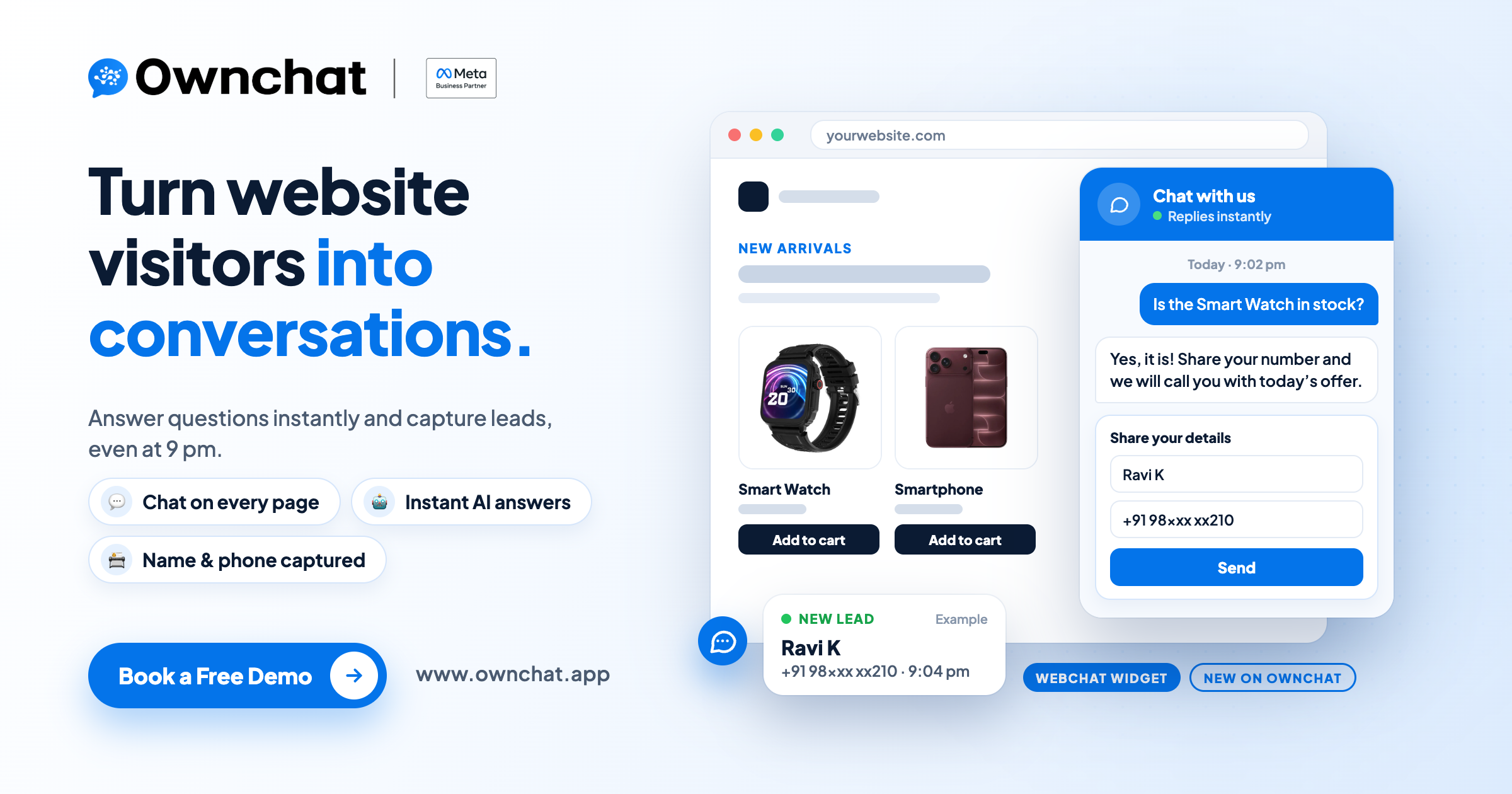
Quick answer: The Ownchat Webchat Widget puts a chat box on your website. Visitors ask questions without leaving the page. A chatbot answers common questions 24/7 and hands over to your team when needed. A short pre-chat form collects the visitor's name and phone. Every chat lands in the same team inbox as your WhatsApp, Instagram and RCS messages. Setup takes one line of code.
(An example. The shop and times are made up.)
8:42 pm. Someone opens the website of a furniture shop in Coimbatore.
8:44 pm. They find a teak dining table they like. ₹38,000.
8:45 pm. Two questions: "Do you deliver to Pollachi?" and "Can I pay in instalments?"
8:46 pm. They look for an answer. The contact page has a form with seven fields. The phone number goes to a shop that closed at 8.
8:47 pm. They close the tab.
The shop never knows they were there. A ₹38,000 sale walked away over two simple questions.
Why Visitors Leave Without a Word
They weren't uninterested. They just didn't get an answer at the moment they needed it.
- The answer isn't easy to find. Delivery areas, prices, stock and timings are buried, or missing.
- The contact form feels like work. Nobody wants to fill seven fields to ask one question.
- Nobody's there. Evenings, Sundays and busy hours are when many people browse.
- There's no visible way to ask. A contact page in the footer isn't the same as a chat button on the product page.
- They're not ready to buy yet. Some just want to ask and think. Without their number, you can't follow up.
What Is the Ownchat Webchat Widget?
It's a website chat widget: a chat box that sits in the corner of your website. Visitors click it and start typing, right on the page they're looking at.
With the Ownchat Webchat Widget, you get:
| Feature | What it does for you |
|---|---|
| Live chat | Reply to visitors in real time, and share images and documents |
| Chatbot with hand-over | Answers common questions 24/7, then passes the chat to a person when needed |
| Pre-chat form | Collects name, phone (and email or other fields if you want) before the chat starts |
| One team inbox | Website chats sit with your WhatsApp, Instagram and RCS chats |
| Auto-assignment | Sends each chat to the right person, with tags and response-time tracking |
| After-hours capture | When you're offline, it collects the visitor's question and details and emails your team |
| Visitor insights | Shows where visitors are from (city, state, country) and their browser |
| Your branding | Your colours, your welcome message, and an online/offline status |
Contact Form vs Webchat
| Contact form | Ownchat webchat | |
|---|---|---|
| Effort for the visitor | Fill fields, click submit, wait | Type the question |
| Answer | Hours or days later | Instantly from the chatbot, or from your team |
| After hours | Waits till morning | Chatbot answers common questions; the rest is collected for the morning |
| Visitor's details | Only if they finish the form | A short pre-chat form, when they're interested |
| Your team | Checks an email inbox | Replies from one shared inbox |
5 Ways to Use Your Website Chat Widget
1. Put the chat where questions happen
Questions come up on product, pricing and service pages. That's where the chat box should be visible. The visitor asks without leaving the page.
2. Let the chatbot answer the common questions
Most questions repeat: delivery areas, prices, timings, stock, payment options. Build the answers once with Ownchat's drag-and-drop Flow Builder, and the chatbot replies in seconds, even at 8:45 pm.
Visitor: Do you deliver to Pollachi?Chatbot: Yes! We deliver to Pollachi in 3–5 days. Delivery is free for orders above ₹20,000. Would you like to check instalment options too?
Be honest about limits. When the chatbot doesn't have the answer, it should hand the chat to a person, not guess.
3. Collect details before the chat starts
Turn on the pre-chat form and ask for just name and phone number. Keep it short: two fields, not seven.
Now, even if the visitor leaves, your team can call or message them the next morning.
4. Send each chat to the right person
| Visitor asks about | Goes to |
|---|---|
| Price, stock, custom orders | Sales |
| Order status, returns | Support |
| Bulk or business orders | Owner or manager |
| Everything else | Front desk |
With auto-assignment, each chat reaches the right person, so the visitor isn't passed around. You can tag chats and track how fast your team replies.
5. Follow up with people who didn't buy yet
Some visitors need time. Look at yesterday's chats each morning. Anyone who asked about a price and left their number gets a short, helpful follow-up.
"Hi Karthik, thanks for asking about the teak dining table last night. Yes, we deliver to Pollachi, and instalments are available. Shall I share the options?"
Add It to Your Website in 3 Steps
- Set up the widget in Ownchat: your colours, welcome message and pre-chat form.
- Copy the one-line code from your Ownchat dashboard.
- Paste it just before the
</body>tag of your website, or add it through Google Tag Manager.
That's it. The chat box appears on your site, and chats start arriving in your Ownchat inbox.
Just want a WhatsApp button instead? Try our free WhatsApp chat widget generator. It adds a button that opens a WhatsApp chat with your business.
What Changes for the Furniture Shop
(Same example.)
8:45 pm. The visitor clicks the chat box, fills in their name and phone, and asks about Pollachi delivery. The chatbot answers in seconds.
8:46 pm. They ask about instalments. The chatbot shares the basics and tells them the sales team will call with the options.
Next morning, 10 am. The chat is already assigned to Sales in the inbox. The sales team calls Karthik and books a showroom visit for Saturday.
Same visitor. Same two questions. This time, a conversation instead of a closed tab.
Good to Know
- Keep a person in the loop. The chatbot handles common questions; your team handles the rest.
- Ask only for details you'll use. Name and phone number are usually enough.
- Keep the chatbot's answers up to date. When prices, delivery areas or timings change, update them.
- Read your chats every week. If the same question keeps coming, add the answer to your website too.
Frequently Asked Questions
What is the Ownchat Webchat Widget?
A chat box for your website. Visitors can chat with your team or a chatbot, and every chat arrives in your Ownchat team inbox.
How do I add the widget to my website?
Copy the one-line code from your Ownchat dashboard and paste it before the closing body tag, or add it through Google Tag Manager.
Can the chat reply when we're closed?
Yes. The chatbot answers common questions 24/7. For other questions, the widget collects the visitor's details and emails your team.
What's the difference between live chat and a chatbot?
Live chat is your team replying in real time. A chatbot answers common questions automatically. With Ownchat, you use both: the chatbot answers first, and your team takes over when needed.
Do website chats and WhatsApp chats come to the same place?
Yes. Webchat conversations sit in the same team inbox as your WhatsApp, Instagram and RCS chats.
Can I match the widget to my brand?
Yes. Set your colours and welcome message, and show when your team is online or offline.
Can I try it before buying?
Yes. Ownchat offers a 14-day free trial, no credit card needed. See Ownchat pricing for plans.
Don't Let the Next Visitor Close the Tab
Every visitor who leaves with an unanswered question is a sale you never knew about. A website chat widget gives them a way to ask.
Or explore the Ownchat Webchat Widget.